

4
Free
Neon Snowfall Screensaver
Neon Snowfall Screensaver Overview
 MemorialApps
Safe & trusted downloads
The best software, verified by experts
OpenGL smoke screensaver for Windows desktops
Mystical Smoke Screensaver renders looping, abstract blue and white smoke animations on idle Windows desktops, with native OpenGL rendering for smooth motion and full-resolution support. Developed by FullScreensavers.com, the tool integrates into standard Windows screensaver settings and targets desktop users who want calming visuals during breaks. The installer is compact and the app is presented as a lightweight, single-purpose screensaver for users who prefer visual personalization without altering other desktop components.
The screensaver replaces the idle desktop with layered smoke clouds that move upward and intersect, creating continuous abstract forms. It hooks into the standard Windows screensaver pipeline, so activation and deactivation follow normal system behavior. The effect occupies the full monitor area and supports HD and 4K resolutions, which preserves visual detail on large displays without manual scaling.
The app includes a settings menu that lets users personalize display options for the smoke effects, indicating adjustable parameters rather than fixed output. Settings live in the screensaver configuration dialog that Windows exposes, so users can change behavior without a separate control application. The product description specifies blue and white color variants and motion driven by fluid dynamics, which users can modify through those controls.
Native OpenGL rendering provides hardware-accelerated animation, and the installer size is reported as approximately 1.4 MB, which supports the claim of a small footprint. The developer notes the design is lightweight and suited to standard hardware, and the screensaver pauses when the system leaves idle state, limiting resource use to run time only. The item runs as a screensaver process rather than a persistent background service.
Installation integrates the screensaver with Windows' native settings, so no extra launcher or registry edits are required. The compact installer and automatic pairing with Windows screensaver controls mean users configure it from the usual Display or Personalization panels. Compatibility is explicit across current and older Windows releases, which reduces setup friction for mixed-desktop environments.
Mystical Smoke Screensaver suits desktop users who want a single-purpose visual scene that runs without extra background services; its OpenGL rendering and small installer support that use case. As a practical tip, enable the screensaver from the system Personalization panel and assign it per monitor through the same dialog if you use multiple displays. The screensaver is most appropriate when you need an idle visual without broader desktop changes.
Mystical Smoke Screensaver for Windows
Free
Neon Snowfall Screensaver Overview
Trial version
Play around with your desktop icons

Free
A Free Desktop customization program for Windows
Trial version
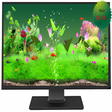
Digital Goldfish Screensaver brings the most realistic goldfish aquarium to your desktop with realistic 3D goldfish and water
Trial version
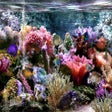
Bring the tranquil setting of a fish tank to your desktop
Trial version
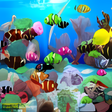
Watching Nemo swimming right on desktop
Attractive 3D screensaver with the Matrix effect
OpenGL 3D screensaver with low resource use
Dynamic Screen Saver for Windows Users

Produce your own screensavers with sound and video

Decorate your desktop with images of airplanes
Original and fun screensaver
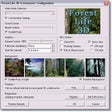
Relax in the middle of a natural and peaceful environment
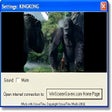
Enjoy some of the incredible special effects from the blockbuster movie
Bring the atmosphere of Christmas to your desktop
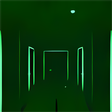
Walk through the endless Matrix corridors
Screensaver with over forty stunning high-resolution close-up photos of flowers