
3.2
Trial version
Solar System 3D Screensaver
Visit the Solar system
 MemorialApps
Safe & trusted downloads
The best software, verified by experts
OpenGL 3D screensaver with low resource use
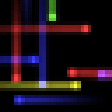
Shows smooth, abstract 3D boxes with fading trails across the desktop, using modern OpenGL rendering and simple motion rules. Funny Fly Screensaver, from SaversPlanet.com, is a lightweight Windows screensaver that aims to keep displays active and prevent pixel burn-in. It installs quickly and includes an uninstaller, offers broad support for legacy and current Windows versions, and suits users who want a low-overhead, decorative idle display rather than extensive configuration options.
The screensaver renders moving, colorful boxes that vary in speed and direction, each leaving a fading trail, implemented with OpenGL 3D rendering. That concrete visual is the primary output: a continuous abstract motion designed to keep pixels shifting rather than a themed or photographic slideshow. The animation relies on GPU support and uses OpenGL for frame smoothing rather than CPU-only drawing.
The software exposes a straightforward install and uninstall path but documentation and feature notes describe no advanced tuning panels or per-effect sliders. Configuration options are not highlighted in the program description, so users should expect minimal control beyond choosing the screensaver in system preferences. This makes the tool suitable for people who prefer a set-and-forget idle display over granular customisation.
The package is small, about 5.18 MB, and the developer reports low system resource consumption, which positions it for older hardware. The animation requires at least 256 MB of video memory and OpenGL 2.1 support, so GPU capability determines runtime performance more than CPU load. The screensaver runs as a typical desktop screensaver and includes an installer that registers it with the system.
The product lists compatibility from legacy desktop builds through modern releases, so it integrates across many Windows setups. The developer includes install and uninstall support, simplifying removal through standard control panel tools. This cross-version compatibility combined with low hardware requirements means the screensaver fits desktops where preserving display life or adding subtle motion is the goal, rather than systems needing per-monitor profiles or advanced effects.
Funny Fly Screensaver is a straightforward choice for users who want continuous, abstract motion on idle displays without changing system behaviour. It lacks advanced user controls and depends on basic OpenGL support, so it suits people with compatible GPUs who prefer low-maintenance desktop decoration. The developer’s modest user rating suggests some users expect more options, but the screensaver meets its narrow purpose as a simple, low-overhead idle display.
Funny Fly Screensaver for Windows
Trial version
Visit the Solar system
Trial version
A Trial version Desktop customization program for Windows
Free
Dynamic Free Matrix Reality Screensaver for Windows
Free
Screensavers based on Windows 7

Free
A Minimalist Flip-Clock for Your Desktop

Free
A free Desktop customization program for Windows
Dynamic Screen Saver for Windows Users

Produce your own screensavers with sound and video
Bring the atmosphere of Christmas to your desktop
Walk through the endless Matrix corridors
Generate funky animations to display as a screensaver
Take control of your screensavers
Enjoy some of the incredible special effects from the blockbuster movie

Decorate your desktop with images of airplanes

The successor to the F430 starts its engine on your screen
Original and fun screensaver
Convert your desktop into a virtual tropical ocean