


2.8
Demo
CypherX Crypter
CypherX Crypter is designed for all users
 MemorialApps
Safe & trusted downloads
The best software, verified by experts

BestCrypt creates and supports encrypted virtual disks, which are visible as regular disks with corresponding drive letters (for example, D:, K:, Z:, i.e. with any drive letter that is not used by another system device).
The data stored on a BestCrypt disk is stored in the container file. A container is a file, so it is possible to backup a container, move or copy it to other disk (CD-ROM or network, for instance) and continue to access your encrypted data using BestCrypt.
Any free drive letter in the system may be used to mount and to open an encrypted file-container for access. When the virtual disk is opened, you can read and write data as if it were a conventional removable disk.
BestCrypt Container Encryption for Windows
Demo
CypherX Crypter is designed for all users
Free
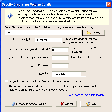
Create virtual encrypted containers to store any type of data
Free
Encrypt data securely by using pictures
Free
It will encrypt your personal files with AES-256 encryption algorithm which is unbreakable from today's standards!

Free
Encrypt and decrypt files quickly and easily

Free
A useful and straightforward disk encryption tool
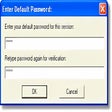
Encrypt and decrypt files with this tiny utility
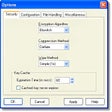
Encrypt your private documents using various algorithms
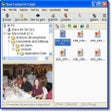
Encrypt your files with powerful algorithms
Reliable local data protection with UkeySoft File Lock

Encrypted virtual drives and hidden safes for Windows protection

Recover lost iTunes backup password for iOS devices like iPhone, iPad, and iPod
A free app for Windows, by Sigmanor

Cryptomax Encryption Tool Review

Automated and transparent encryption
Free files and text encryption software
A Free Security program for Windows