


3.6
Trial version
Folder Lock
Folder Lock
 MemorialApps
Safe & trusted downloads
The best software, verified by experts

Encrypted virtual drives and hidden safes for Windows protection
Creates encrypted virtual drives that mount as normal drive letters for file access, letting you work with protected files inside Windows Explorer. Developed by Steganos Software GmbH, the tool pairs AES-based encryption, two-factor authentication, and cloud sync for protected storage. Key functions include dynamic vault sizing, a file shredder, hidden safes embedded in media, and portable safes for USB use. It fits privacy-minded home users, professionals, and small businesses needing accessible, password-gated storage on PC and network drives.
Steganos Data Safe creates virtual encrypted drives that appear as standard drive letters, so users save and open files from Explorer without special export steps. The app supports dynamic vaults that expand as data grows and a Portable Safe mode for USB sticks, enabling the same encrypted container to move between machines while remaining mountable as a disk letter.
The tool uses modern AES modes with AES-GCM and AES-XEX options and supports AES-NI hardware acceleration, providing file-level encryption inside the mounted drive. Two-factor authentication via TOTP adds an extra access barrier, and the integrated shredding function overwrites deleted files and free space, which removes recoverable remnants from the underlying volume.
Steganos states a no-backdoor policy, which means there are no master passwords or developer recovery keys for safes. The app offers hidden safes that embed encrypted containers inside media files, and network support that lets authorized users mount safes from shared drives, enabling collaborative access to the same encrypted volume on a LAN.
The installer requires about 100 MB of disk space and the app runs with a minimum of 1 GB RAM, with compatibility for Windows 10, Windows 11, and recent ARM builds. Cloud synchronization hooks detect common services such as Dropbox and OneDrive so encrypted safes can sync in real time without manual upload steps.
The app suits users who want drive-like encrypted storage and optional hidden containers for plausible deniability; its no-backdoor stance and TOTP support address stronger privacy needs. Expect a desktop-focused workflow: reviewers note the lack of dedicated iOS and Android safe apps, so mobile access requires synced cloud files or portable media. For PC-centric protection and collaborative network safes, it performs as a practical encrypted vault solution.
Steganos Data Safe for Windows
Trial version
Folder Lock
Free
A free Security program for Windows
Free
Portable Encryption Tool for Windows

Free
Free encryption and decryption application
Free
Rohos Mini Drive: Secure File Encryption Tool

Free
Encrypt and decrypt files quickly and easily
Encrypt and decrypt files with this tiny utility
Reliable local data protection with UkeySoft File Lock
Encrypt your files with powerful algorithms
Encrypt data securely by using pictures

Cryptomax Encryption Tool Review
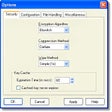
Encrypt your private documents using various algorithms

Recover lost iTunes backup password for iOS devices like iPhone, iPad, and iPod
A free app for Windows, by Sigmanor
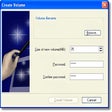
Protect your files successfully
Free files and text encryption software

Automated and transparent encryption