





4.9
Free
万兴PDF
Comprehensive PDF Editing Made Simple
 MemorialApps
Safe & trusted downloads
The best software, verified by experts

Comprehensive Offline PDF Editing Solution
Xodo PDF Studio is a robust offline PDF editor compatible with Windows, macOS, and Linux platforms. This versatile utility allows users to edit, annotate, and convert PDF documents with ease. Its feature set includes advanced editing tools that enable modifications to text and images, making it suitable for both personal and professional use. Additionally, users can leverage built-in OCR capabilities to convert scanned documents into editable text, enhancing productivity and accessibility.
The application also supports annotation features, allowing users to highlight, comment, and draw on PDFs. With its user-friendly interface, Xodo PDF Studio streamlines the workflow for managing PDF files. The combination of powerful editing, conversion tools, and optical character recognition makes this software an essential tool for anyone working with PDF documents.
Xodo PDF Studio for Windows
Free
Comprehensive PDF Editing Made Simple

Free
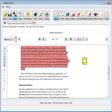
Comprehensive PDF Editing Tool for Windows
Free
Not the Best Free PDF Manipulator You Can Get
Free
Free Software for Designers
Free
Local-first PDF editor with signatures, OCR, and portable Windows builds
Free
Ultra PDF Editor Lite Review

Important Update for Windows 7

Upgrade Your Intel Graphics

Take Care of Your Registry

Jellyfin2Samsung: Streamline Your Media Experience

Render through the cloud with Renderwow

WholeClear EML to TGZ Converter Review
INTERCAL-64: Enhanced 64-bit Compiler and Runtime

Optimize Your Windows Security Settings Easily
Streamline Data Collection with DMT Device Enabler

Install the latest driver for HP touchsmart 600

Efficient EML to NSF Conversion Tool
Efficient Codebase Mapping Tool for Developers