




4.9
Free
WiFi Moho
WiFi Moho - A Comprehensive WiFi Management App
 MemorialApps
Safe & trusted downloads
The best software, verified by experts

WiFi Keeper App Review
WiFi Keeper is an Android application developed by MARIOBILE that focuses on keeping your WiFi connection stable. This utility tool is perfect for users who experience frequent WiFi connection drops on their devices. The app is free to use and comes with a handful of features that enhance the performance of your WiFi connection.
Upon installation, it is recommended to run the app manually so that it can automatically run in the future. Some of the standout features include keeping Wi-Fi connection, Boost WiFi mode, control Wi-Fi connection, stability, low memory consumption, opens browser when connection is established (optional), nice and useful widget, notifications on the status bar when Wi-Fi connection is enabled or when keeping is active, and silent and automatic mode - application running in the background.
Overall, WiFi Keeper is a simple yet powerful tool that helps users to maintain a stable WiFi connection. Its features are easy to use and understand, making it an ideal application for anyone looking to improve their WiFi connection performance.
WiFi Keeper for Android
Free
WiFi Moho - A Comprehensive WiFi Management App
Free
Essential Network Toolkit for Android Users
Free
Block WiFi - WiFi Inspector Review

Free
ForceWifi5 - Optimize Your Wifi Connection

Free
Comprehensive Network Toolkit for Android

Free
Streamline Your WiFi Experience with Ease

Vivid TV Remote: Control Your Smart TV with Ease

Gamepad Pro Review

Smart TV Cast Screen Mirroring Review

MacJack - Cashless Payment App for Vending Machines

WiFi Connection Anywhere - A Comprehensive Wi-Fi Network Manager

Ultra-Link WiFi: Manage Your WiFi System from Your Mobile Device

Smart Voltas AC Remote Control: The Ultimate Universal AC Remote

QR Camera: A QR and Barcode Scanner App

A free app for Android, by REMI Apps.

Kalender Jawa Abadi: A Comprehensive Calendar App

Smart Lennox AC Remote Control Review
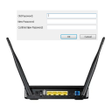
How to Change Router Password: A Helpful Guide