



3.3
Free
Any Weblock
Block websites easily
 MemorialApps
Safe & trusted downloads
The best software, verified by experts
Minimal Windows hosts-file blocker for quick local website restrictions
Blocks chosen domains by editing the Windows hosts file, applying OS-level redirects that remain active after the program closes. MecaNet supplies this lightweight access-control utility for Windows users who need fast local blocking. The app automates hosts-file edits, creates automatic backups, and offers a one-click "Total Block" toggle. It fits parents, teachers, and individuals who want single-PC site restrictions without a resident background process or complex parental-control suites.
The app changes the system hosts file to redirect or null-route listed domains, so blocks apply before browser resolution. It requires Administrator privileges because the hosts file is a protected Windows system file. The program creates a safe copy of the original hosts file before writing changes, and the block entries persist after the app exits, which means the application does not need to run continuously to keep sites blocked.
Effective for straightforward domain blocking, the approach prevents access at the OS DNS resolution level for typical browsers. The app does not intercept encrypted browser traffic, however, and browsers configured to use DNS over HTTPS can bypass hosts-file redirection unless DoH is disabled. The app therefore reduces exposure to casual web access but does not defeat browser-level resolver features that skip the hosts file.
Zero resident footprint after use: the program does not stay in memory once changes are applied, which matches its portable, no-install design. Setup requires granting Administrator rights to modify hosts, and interactive tooltips explain each control. Because it runs from a USB drive and automates backups, it is suitable for one-off or occasional configuration on a single PC without introducing background services.
Less feature-rich than dedicated control suites, the tool focuses solely on hosts-file blocking rather than scheduling, remote management, or user profiles. For environments that need multi-device management or audit logs, a network-level or cloud-managed parental control would cover those scenarios. For single-machine, offline restrictions, the app provides a compact alternative grounded in the native hosts mechanism.
WEBlocker is a pragmatic option for users who need quick, local domain blocking on one Windows PC and prefer a portable, no-resident tool. It does not provide multi-device control, remote administration, or defenses against DNS-over-HTTPS bypasses, so administrators who require centralized policies or DoH-resistant blocking should consider a different approach. For simple, on-device restrictions, it performs the intended function without background overhead.
WEBlocker for Windows
Free
Block websites easily

Free
A free Security program for Windows

Free
Keep Safe Online with K9 Web Protection

Trial version
Block unwanted websites and filter porn sites

Trial version
Access Control Software for Enhanced Security

Free
Comprehensive Access Control Software for Windows

A Free Security program for Windows
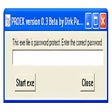
Password protect EXE files

Comprehensive suite of hard-drive protection/access restriction tools
Comprehensive Access Control with Traffic Inspector
Comprehensive Access Control Software for Windows

Lock A Folder

Browse Without Annoying Cookie Permissions
Hide or password-protect any file instantly

Secure Your Files with Gili File Lock

Powerful computer monitoring program
Let your mobile phone lock and unlock your PC. When Bluetooth...
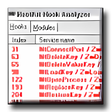
Check for active kernel rootkits on your system