




1.8
Trial version
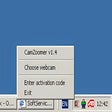
CamZoomer
Add pan, tilt and zoom to your USB webcam
 MemorialApps
Safe & trusted downloads
The best software, verified by experts

Webcam Commander: Windows multi-camera monitoring with local analytics
Monitors multiple USB and IP camera feeds in real time, applies local object and face detection, and serves remote streams via an embedded web server. Webcam Commander, from Webcam Video Surveillance Software, is a Windows surveillance app that combines motion detection, time-lapse recording, stealth mode, and automated email or SMS alerts. It targets homeowners and small business owners who want to repurpose webcams or smartphones into a multi-camera monitoring setup with minimal hardware overhead.
Commander manages both USB webcams and network IP cameras, letting you run several feeds concurrently on a Windows machine. The app applies local intelligent video analytics for object and people detection, and supports time-lapse recording to conserve disk space. Multi-camera support and drag-and-drop camera management make it possible to build a small surveillance network from consumer hardware without adding DVR units.
The app processes analytics on the host PC rather than sending raw video to remote servers, which reduces outgoing data usage. It offers event-triggered alerts by email or SMS when motion or specific objects are detected. The documentation states analytics run locally to limit bandwidth and storage, and stealth mode lets the software operate in the background while continuing detection tasks.
Installation targets Windows and uses a drag-and-drop interface for camera configuration, which lowers the entry barrier for nontechnical users. Motion detection sensitivity and alert triggers are configurable, and the built-in web server provides remote playback and live viewing in a browser. Notification options include email and SMS; alert rules are adjustable per camera so you can tune how often the app notifies you.
The tool supports viewing via a browser or mobile device through its embedded web server, and it accepts streams from IP-capable smartphone apps, allowing phones to act as cameras. The system requires a 64-bit Windows installation for the latest features, and the developer notes compatibility across a broad set of USB and IP capture devices, which helps when combining older webcams with newer IP cameras.
Commander is a solid option for homeowners and small businesses that need local video processing to limit bandwidth use and want to reuse existing webcams or phones. One consideration is its Windows-centric design, which makes the app best suited to setups centered on a desktop or dedicated PC rather than mobile-first deployments. It suits users who prefer on-premise analytics and per-camera alert tuning.
Webcam Commander for Windows
Trial version
Add pan, tilt and zoom to your USB webcam

Paid
Become a cat in your online chat

Free
Babuki: A Free Instant Messaging App for Windows

Free
A Free Communication program for Windows

Free
Automatically post webcam video captures on your site
Free
Reduce annoying background noises when using Skype
Complete communications centre for Windows
Always keep an eye on the webcam you want
Effective Communication Tool for Windows Users
Turn your PC into a video surveillance system
A direct modem connection via the Internet
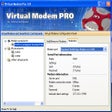
Emulate virtual IP-modems with extended functionality

Web cam monitoring is available with a simple installation.
Connect to Internet using this application

KWT Spider: Social Communication Tool for Windows
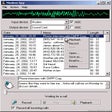
Record phone calls to WAV files
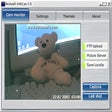
WebCam is a program for your web camer

Create a communication test/analysing suite for your soft-, firmware and hardware development.