
5
Free
TuneBoto Amazon Music Converter
For Amazon Music users
 MemorialApps
Safe & trusted downloads
The best software, verified by experts

How do you save a recording?
You can save a recording by pressing the Record button in the player software's main interface, and then select the "Saved Recording" item in the list of items on the right side. Then, use the "Open" button to play the saved recording. To remove the saved recording, go to the "Recordings" section, press "Clear", and choose the "Saved Recordings" item to remove it.
VOB to MP3 Converter for Windows
A feature-packed digital DJ console

Desktop media player for playing 4K videos
Download WavePad Audio Editor Free for Windows: A Full-Featured Free Audio Editing Software
Helps users easily download and convert music to MP3

Listen to Your Favorite Music Anywhere, Anytime
Free
For Amazon Music users

Trial version
Customize your MP3 tags in record time

Free
A digital gateway to diverse radio experiences
Free
Free YouTube downloader and audio converter
Free
A feature-packed digital DJ console

Free
An accessible DJ tool

Listen to and record radio stations from around the world

Watch TV stations and listen to online radio
Watch Variety Television Anywhere With An Internet Connection.
Search, try, buy, and download your favorite music from the Net

Viva Radio Standalone Player: Free Music Streaming

The Editor of MP3 Tags PRO
A free app for Windows, by Okan Ozcan.

Online radio with excellent recording functions
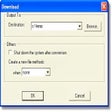
Copy SHOUTcast and Icecast streams to your hard drive

Download YouTube Videos & Play Them
Free iTune PlaylistExporter