
3.8
Trial version
Add Text to Video PRO
Software to add watermarks into video tracks
 MemorialApps
Safe & trusted downloads
The best software, verified by experts

Video Watermark Maker: Add Text and Logo Watermarks to Videos
Video Watermark Maker puts text and logo watermarks on your clips and exports the marked copies in one batch. This video watermark maker for Windows works on your own PC, so unreleased footage is not uploaded to anyone's server. You build a mark once, save it, and load it again for the next shoot.
Click Add File(s) and select the clips. They show up as thumbnails in the Videos list.
Press Text Watermark to type a caption, or Logo Image to add a logo to video from a picture file.
Pick one of nine positions, then set the offset, transparency and angle. The frame in the main window shows the mark in place.
Open Select Intervals if the mark should appear only during some scenes, for example the intro and the credits.
Choose the destination folder and press Start. Video Watermark Maker processes every clip in the list and offers to open the folder at the end.
The unregistered copy shows every setting and saves the opening part of each clip.
Text and logo layers. Put several marks on one video and change their order. A checkbox switches any of them off without deleting it.
Text styling. Font, color, background color, shadow and glow, plus ready phrases such as Copyright or Demo.
Logo controls. Rotate, flip or mirror the picture and set its size as a percentage of the source video, so one logo looks the same on a 720p clip and a full HD file.
Timed marks. A mark runs through the whole video or only inside the intervals you list.
Batch watermark videos. Every file in the list gets the same set of marks in one run.
Saved watermarks. Save Watermark stores the set in a file, and Load Watermark brings it back for the next job.
Output settings. Keep the source format or pick MP4, MKV, AVI, MOV, WMV and others, with bitrate, frame rate and encoder for video and audio.
Command line. Video Watermark Maker takes an input file, an output folder and a saved watermark as parameters, which suits scheduled jobs.
Creators who post previews and want the channel name on every upload.
Wedding and stock videographers who send marked proofs to clients before the final delivery.
Course authors and agencies that brand a folder of lessons or ads in one pass.
How do I insert a watermark in a video?
Load the clip, press Text Watermark or Logo Image, place the mark and press Start. Video Watermark Maker writes a new file to the destination folder, in the source format or converted to another one.
What is a video watermark?
A caption or logo drawn over the picture, usually half transparent and kept in a corner, that tells viewers whose footage it is. Video watermark software burns it into the frames, so the mark travels with every copy.
Why is my watermark not showing on my YouTube videos?
The channel watermark on YouTube is an overlay drawn by the player, and it can be missing on some screens. Video Watermark Maker puts the mark into the picture itself before you upload, so it stays in embeds and downloads.
What is a watermark adder?
A tool that stamps a mark on finished files without opening an editor. Video Watermark Maker is one for Windows. It reads MP4, MOV, AVI, MKV, WMV, FLV, 3GP, MPG and VOB. Nothing is uploaded: Video Watermark Maker works on the files on your disk.
Contact SoftOrbits support with any question about Video Watermark Maker.
Video Watermark Maker for Windows

A free high-quality video downloading platform

The all-in-one solution for media playback

Download Adobe Premiere Pro for Windows – Professional Video Editing at Your Fingertips

A very powerful and versatile free file converter.

The industry standard for professional motion design
Trial version
Software to add watermarks into video tracks

Trial version
Aoao Video Watermark Pro

Free
Easily add watermarks to your photos

Free
A Free Design & photography program for Windows

Free
Photo Editing Tool That Works on Its Own

Paid
Professional Software to Install and Edit Subtitles
Ripra iWorx: Multimedia Video Software

Batch video converter supporting almost every format

Convert video to a range of formats
Convert and burn to multiple formats
A trial version Video program for Windows
Create movies to play on your PSP

AVI and MPG to 3GP converter

DivX-XviD backup utlity

FonePaw Video Converter Ultimate - Convert, edit and play videos, DVD and audios.
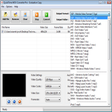
Efficient Video Conversion with QuickTime MOV Converter Pro

Efficient Multimedia Conversion Tool for Windows
Convert Quicktime MOV files to multiple formats