

4.2
Demo
FM JPG To PDF Converter Pro
Efficient JPG to PDF Conversion Tool
 MemorialApps
Safe & trusted downloads
The best software, verified by experts

Fast Windows utility for converting TIFF batches into PDFs
Converts single-page and multi-page TIFF images into consolidated PDF documents with batch processing and merge options. Developed by frameworkteam-software, the TIFF to PDF Converter targets office workers, legal teams, and archivists who handle scanned archives. The app offers drag-and-drop file loading, adjustable output quality and compression settings, and standalone operation without requiring Adobe software, making it a focused tool for converting large collections of scanned images into portable PDFs.
The tool converts TIFF images into PDF files and handles both individual and multi-page TIFFs, which fits workflows that need standardized document formats for sharing or archiving. It merges multiple image files into a single PDF, so a folder of related scanned pages becomes one consolidated document. Batch conversion processes entire folders or selected groups in one operation, reducing manual file-by-file export.
Conversion focuses on speed and output options, with advertising that the app performs high-speed batch conversion and adjustable settings for quality and compression. Those output controls let users balance file size against image fidelity before export. The converter runs without external PDF engines or drivers, so the conversion pipeline stays inside the program and does not depend on third-party PDF software.
The interface is deliberately simple and direct, featuring drag-and-drop file loading that removes menu navigation for common tasks. The developer positions the app as zero learning curve, which suits staff who need quick results rather than training. It's a Windows desktop program compatible with mainstream Windows versions, and because it is standalone it does not require Acrobat or other external tools for operation.
TIFF to PDF Converter suits small teams and individual professionals who need fast, focused conversion of scanned TIFF archives into PDF documents. The app's narrow scope and standalone operation make it efficient for document-centric tasks, while the trial version suggests evaluating full capabilities before committing. Users who require broader document editing or cloud collaboration should consider tools with integrated teamwork features instead.
TIFF to PDF Converter for Windows
Demo
Efficient JPG to PDF Conversion Tool

Trial version
Convert XPS Files to PDF Easily

Free
MDI2PDF: Efficient MDI File Conversion Tool
Free
Free Convert GIF images into PDF format.

Free
Cigati OST to PDF Converter

Free
Effortless File Conversion with MDI2PDF Converter

A Tool to Quickly and Easily Update Your PC Drivers

Lexicon: A Productivity Tool for Windows
Strips all RichTextFormatting from a selection
Easily create a graph
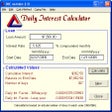
Loan and mortgage software

MySQL Migration Toolkit is a software pack to convert any data...
A free Business program for Windows
Boost Your Memory with Memoriser App

PDF2XL

Locate, reserve, pick-up
Free App for Organisation Seekers

Easily create your own business card from scratch