




4.6
Free
ThemeArt: Themes Widgets Icons
Animated themes, widgets, and icons with one-tap application
 MemorialApps
Safe & trusted downloads
The best software, verified by experts

All-in-one Android tool for coordinated home screen themes
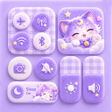
ThemeMix: Themes Widgets Icons, developed by Nova AI Global, is a personalization suite that changes a device's UI appearance and control surface. It applies coordinated icon packs, widgets, and high-resolution wallpapers across the home and lock screens. The app includes a customizable Control Center, a DIY widget builder, and one-tap theme application. Android enthusiasts and users seeking a unified visual style on their phones benefit most from its integrated approach.
ThemeMix positions itself as an all-in-one solution that modifies multiple UI layers at once: app icons, widgets, wallpapers, and the system control panel. It supplies hundreds of themed packs including Minimalist, Neon, and K-pop, and offers HD and 4K wallpapers, so users aiming for a coordinated look can replace disparate elements without switching tools. The one-tap setup applies icon, widget, and wallpaper combinations in a single action.
The tool lets users author functional DIY widgets for clocks, calendars, weather, battery status, and personal photos, offering granular composition rather than only preset bundles. Icon replacement covers both system and third-party apps, and the customizable Control Center uses Accessibility Service permissions to integrate system-level toggles into the themed interface. These capabilities let hobbyists create consistent visual themes and practical widget layouts.
ThemeMix targets Android devices running Android 7.0 or higher, and runs persistently to support live wallpapers and the customized Control Center. HD and 4K wallpapers and live backgrounds increase display workload; the app's background presence is necessary for the Control Center integration made possible by advanced Android APIs. Users with entry-level hardware should expect higher GPU or battery use when animated wallpapers are active.
The app offers one-tap theme application and builders for DIY widgets, reducing manual assembly steps for non-technical users. It does not require root access for its customization features, so standard devices can apply themes and widgets. The need to grant Accessibility Service permissions is explicit and required for Control Center features, which adds an extra permission step during initial setup.
ThemeMix suits Android users who want coordinated icons, widgets, and wallpapers applied from a single app, and those who value a themed Control Center backed by Accessibility Service integration. Expect greater GPU and background activity when using live 4K wallpapers. The app is a sensible pick for enthusiasts who prioritize unified aesthetics and are willing to grant system permissions for deeper UI styling.
ThemeMix: Themes Widgets Icons for Android
Free
Animated themes, widgets, and icons with one-tap application
Free
Transform Your Android Home Screen with iTheme

Free
Integrated Android app for cohesive home-screen personalization

Free
Transform Your Android Screen with Themezy

Free
A free program for Android, by Daniel Czarnomorski.
Free
All-in-one Android app for icon and widget customization