





4.8
Paid
Full Screen Gestures
A free program for Android, by NorthRiver.
 MemorialApps
Safe & trusted downloads
The best software, verified by experts
Swipe Back Full Screen Gesture Overview
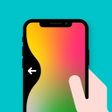
Swipe Back: Full Screen Gesture app offers a unique way to navigate through various apps and functions on your Android device. With this app, you can set up navigation gestures for apps like contacts, calendar, music player, calculator, and more. The app requires accessibility permissions to utilize the Accessibility API for actions like going back, accessing recent apps, returning to the home screen, and more.
This app provides edge actions such as going back, accessing settings, taking screenshots, power summary, toggling down notifications, power dialog, returning to the home screen, accessing recent apps, and locking the screen. To use Swipe Back: Full Screen Gesture, you need to enable the accessibility service, understand the navigation gestures through the intro screen, choose between left and right options, and then perform actions by swiping the left or right edge of the screen.
Swipe Back Full Screen Gesture for Android

illumi Home: A Versatile Smart Light Strip Controller

Customize Your Own Android Avatar

Magnificent Magnifier HD: A High-Definition Pocket Microscope

Seta FF - Add a Cursor on Your Screen

World Browser - Fast Simple Review

SIPCalc: Optimize Your Investment Strategies

Enhance Your Note-Taking with Black Kong Journal

Comprehensive Cable Size Calculator for Android

Comprehensive Translation Tool for Android Users

Effortlessly Retrieve Deleted Messages with Messages Recover

A free app for Android, by Deblex.

WiFi换机助手 - A Fast and Secure Data Backup Tool