
SSThingy for Windows
- Free
- 3.6(4)
- 298
- V 1.1
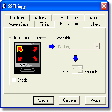
SSThingy is extremely easy to use. Anyone can do it! You can easily configure the settings to reflect your personal computer usage habits.
Check out these features:
- Start and stop your screen saver with hot keys and/or mouse positions (hot corners)
- Bind sounds to events. For example, make your screen saver play a sound when it starts
- Enable and disable your screen saver quickly and easily so you can avoid corrupting CD Rom burners and other Real Time programs.
SSThingy for Windows
- Free
- 3.6(4)
- 298
- V 1.1
Top downloads



Discover more programs

InstantStorm
- 4.1
- Free
Create personalized Flash screensavers

SETI@home
- 3.7
- Free
A Free Desktop customization program for Windows
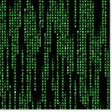
Another Matrix Screen Saver
- 4.2
- Free
Attractive Matrix screensaver for your PC
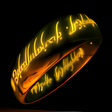
The One Ring 3D Screensaver
- 4
- Free
3D screensaver for fans of The Lord of the Rings

FIFA 2010 World Cup Wallpaper
- 4
- Free
A free app for Windows, by FIFA.

SeaStorm 3D Screensaver
- 4
- Trial version
Watch a sea storm on your desktop

American Snowman ScreenSaver
- 5
- Free
A new year's tree and a patriotic snowman

Around the World: London
- 2.4
- Trial version
Have the Big Ben as your screensaver

Ocean Adventure Aquarium Screensaver
- 4.1
- Free
Ocean Adventure Aquarium Screensaver Review
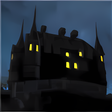
Free 3D Castle Screensaver
- 4
- Free
Atmospheric creepy castle screensaver
Color Cells Screensaver
- 1
- Free
A free app for Windows, by saversplanet-com.

Pokémon Platinum Screensaver
- 3.5
- Free
Protect your screen with Chimchar, Turtwig, Pilup ...
Laws concerning the use of this software vary from country to country. We do not encourage or condone the use of this program if it is in violation of these laws. MemorialApps may receive a referral fee if you click or buy any of the products featured here.