





4.8
Free
Lumina Launcher
Transform Your Home Screen with Lumina Launcher
 MemorialApps
Safe & trusted downloads
The best software, verified by experts

Minimal Android launcher focused on productivity
Replaces icon-heavy home screens with a clean, distraction-free layout that highlights essential apps, widgets, and gestures for quicker access. Simple Launcher: Minimal Home, from Rudras App Hub, targets Android users who want lower screen time and smoother performance. It combines per-device responsiveness, light battery use, and gesture shortcuts into a compact home replacement. The design suits people on older or budget devices and anyone aiming for a pared-down phone experience.
The Launcher strips the default home into a simplified grid that foregrounds essential apps and resizable widgets, replacing crowded icon rows with a restrained layout. It applies automatic app categorization and smart folders, which groups apps based on usage patterns. The app supports both light and dark modes, and it exposes customizable gesture controls so common actions, such as opening the app drawer or a favorite app, are reachable with a swipe.
The app offers adjustable layout and color options, and lets you personalize widgets and themes. Customizable gesture controls let you assign swipes and taps to specific actions. Organization is handled by smart folders and automatic categorization, which learns from usage. Available choices aim for minimal complexity rather than deep, layered theming; the settings emphasize a small set of impactful adjustments instead of exhaustive visual permutations.
The developer designed the Launcher with a battery-saving architecture and smooth animations, so it runs as a lightweight replacement for the stock home. Because the app targets lower-end hardware, it reduces background work compared with feature-heavy alternatives. The build minimizes required permissions and runs with low resource expectations, which supports longer battery life and faster responsiveness on older phones according to the design notes.
Installation and daily use target low friction: the app installs on Android devices and exposes core controls through a compact settings area and gestures, so most actions are reachable without deep configuration. Widgets are supported and resizable, so users can place key tools on the home screen. Privacy-first operation is emphasized, with minimal permissions requested, reducing configuration choices tied to account or telemetry setup.
The Launcher suits anyone seeking a lighter, less distracting home screen on Android, especially owners of older or budget devices who need efficient performance and simple controls. Expect a small set of appearance and gesture options rather than extensive theming. A practical tip: set the app as your default home and spend a few days letting smart folders learn usage patterns before adjusting manual organization choices.
Simple Launcher: Minimal Home for Android
Free
Transform Your Home Screen with Lumina Launcher

Free
A free program for Android, by Aner Torre.
Free
Customizable Android Home Screen with NexOS 26 Launcher
Free
Transform Your Device with One Launcher
Free
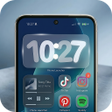
Fluid home-screen launcher with dynamic widgets
Free
Transform Your Android Home Screen with Cash Sprint Launcher