




4.9
Free
Cast to TV: Screen Mirroring
Effortless Media Casting with Cast to TV
 MemorialApps
Safe & trusted downloads
The best software, verified by experts
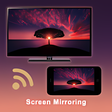
A free program for Android, by Screen Mirroring HDMI USB TV Connector Apps.
What is Screen Mirroring?
Screen Mirroring is a method of sending video, audio, and other data from a device to a TV or other display. Using this method, you can play your favorite video game on the TV and it will look exactly the same as the game is played on the device. You can also use Screen Mirroring to stream movies, music, and other data from your device to your TV.
How do I use Screen Mirroring?
First, you will need to download the app and install it. The installation process will not be difficult for you to complete, and the app will be ready to use right away.
Next, you will need to connect your device to your TV. To do this, you will need to use a cable or a wireless connection.
Now, you will need to start the Screen Mirroring process. You will need to open the app, select the TV that you want to stream to, and click the "Start" button.
This will start the process of Screen Mirroring. Now, you will need to connect the device to the TV.
Screen Mirroring - miracast for Android
Free
Effortless Media Casting with Cast to TV
Free
Effortless Screen Mirroring with Screen Cast
Free
A free app for Android, by Takshu Apps.
Free
A free program for Android, by lrish Infosys.

Free
ScreenPlay: Screen Casting/Mirroring/Share
Free
TV Cast: Screen Mirroring for android from SkyHero Studio

YG x NEMOZ: A Convenient Way to Enjoy YG TAG ALBUM

A free app for Android, by DIRECTV LLC.

CU Buy-Self: The Mobile App for Quick and Convenient Shopping Experience
A free program for Android, by MMFactory.

Prodata: A Lifestyle App for Android

Comprehensive Lottery Result Checker for Android

Houm: Asesor Inmobiliario

Your Countdown: Predict Your Time

Explore Compelling Stories with QuickShot

심리테스트 모음

A free app for Android, by CK Khan.

Find Compatible Teammates with Premate