
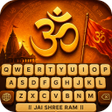
Sanatan Keyboard Hindu Theme for Android
Android keyboard with Hindu-themed HD backgrounds
- Free
- 4.5
- 1
- V 1.2
Android keyboard with Hindu-themed HD backgrounds
Sanatan Keyboard Hindu Theme, from HexaScal, customizes Android typing with deity-themed visuals and native script input for Indian languages. The app embeds high-definition images of Hindu gods into the keyboard background while keeping typing functional and compatible with popular messaging platforms. It offers key-shape, font, and key-style adjustments plus rapid theme switching and per-language script support. Targeted at devotees and native-language communicators, it lets users express cultural identity directly in the input surface without swapping input layers.
What does the app do?
This keyboard replaces the standard input surface with HD devotional wallpapers featuring Hindu deities while retaining direct typing in regional scripts. It supports several Indian scripts including Hindi, Marathi, Tamil, Telugu, Bengali and Gujarati, and performs input without a separate input layer, so users type in their chosen script inside the themed interface.
How much can you customize the keyboard's appearance?
The app exposes multiple visual controls: key styles, shapes, and font selections, plus an extensive library of deity skins. Customization elements include:
- background selection from high-definition deity images
- one-tap theme switching to change the whole look instantly
Does the app affect device performance or battery life?
HexaScal built the keyboard with a lightweight performance engine optimized for modern Android systems, a design choice intended to keep typing responsive and reduce battery impact. The app is optimized for Android 17.0 and later, which the developer cites to preserve responsiveness on current devices.
Is it easy to enable and use daily?
Enabling the keyboard follows standard system steps: open Settings > Language & Input > On-screen keyboard, enable the keyboard, then select it as the default input method. The keyboard integrates with messaging apps such as WhatsApp, Instagram, and Gmail for immediate use. Note that the app’s main menus and settings are provided in English, which affects accessibility for non-English speakers.
A focused choice for devotional expression and native-script typing
The keyboard is a purpose-built option for devotees who want deity-themed visuals combined with regional-script input. Its design centers on religious skins and native-language typing rather than neutral or minimalist themes, so it suits users seeking cultural expression. Users preferring broader, non-devotional theme libraries might find the selection narrow, but the app fits anyone aiming to personalize their input surface with devotional imagery.
Pros
- Supports multiple Indian scripts including Hindi, Tamil, Telugu, Bengali
- High-definition deity wallpapers integrated into the keyboard background
- One-tap theme switching for instant visual change
- Lightweight performance engine optimized for modern Android
Cons
- Main app menus and settings provided only in English
- Thematic focus limits neutral or generic theme choices
- Requires Android 17.0 or later, excluding older devices
Sanatan Keyboard Hindu Theme for Android
- Free
- 4.5
- 1
- V 1.2




