4.1
Free
Canon LBP2900b driver
Free driver for the Canon LB2900B printer line
 MemorialApps
Safe & trusted downloads
The best software, verified by experts
Bridges legacy hosts to Windows printers with format conversion and routing
Receives LPD/LPR and raw Telnet (Portprint streams, converts them to PDF, image, or PCL, and routes jobs to printers or folders. Brooks Internet Software, Inc. supplies this 32-bit Select edition for Windows environments. Key capabilities include protocol bridging, format conversion, text formatting controls, and service-mode operation. IT administrators and system integrators who manage mainframe, AS/400, or UNIX printing environments gain a host-side‑free method to deliver legacy output to modern Windows printers or document stores.
RPM accepts jobs from legacy hosts using standard LPD/LPR or raw streams on Port 9100 and transforms them on the Windows side into usable outputs. The tool converts incoming print data into PDF, HTML, or image formats and can broadcast a single job to multiple destinations such as a physical printer and an email recipient. That lets administrators avoid modifying host programs while producing digitally archived copies or sending jobs to NTFS folders and FTP sites.
The application runs as a native Windows service, so it receives and processes print jobs even when no user is logged in. Because it integrates with Windows security and NTFS permissions, it operates under the host OS account model. The service‑mode design keeps queues active without manual intervention and supports 32-bit Windows architectures while also running on 64-bit systems, which suits always-on server deployments where unattended processing is required.
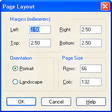
RPM supports granular text manipulation such as font scaling, margin control, and line wrapping, and provides rule-based routing to printers, folders, FTP, or email. The Select edition limits deployments to up to ten physical printers or devices, which narrows its scale compared with higher-tier editions. System administrators familiar with print streams and routing rules can set transformations without changing host code; less technical operators may need guidance to author complex rules reliably.
RPM suits IT teams that need to bridge non-Windows hosts to Windows output without host changes, offering persistent background processing and a clear routing model. The Select edition keeps deployments compact by capping supported devices at ten, so larger environments should consider a higher-capacity edition. Recommended.
RPM Remote Print Manager Select 32 Bit for Windows
This app offers seamless HP printer management
Free driver for the Canon LB2900B printer line

Essential drivers for HP LaserJet 1020 printers
Comprehensive Printing and Scanning Utility

Simple document tasks made easier
Free
Free driver for the Canon LB2900B printer line

Free
Layer your data encryption with this free app

Trial version
WinX MediaTrans - Backup your iPhone, the easy way!

Free
Configuration app for Razer products

Trial version
A trial version Software utilities program for Windows
Free
Essential drivers for HP LaserJet 1020 printers
Easy-to-use solution for printing management
A free Software utilities program for Windows

A trial version Software utilities program for Windows
RPM Remote Print Manager Select 64 Bit is designed for all users
Convert or print any document into images
Send and receive faxes in few minutes
Professional fax viewer & fax to tif tiff converter
Efficient Printing Management with SDI LPD
Extract fax numbers quickly

A trial version Software utilities program for Windows
Dos, Linux print to USB, GDI, PDF Win printer
Print addresses, simple text labels, and return addresses onto envelopes.