
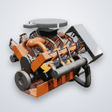
Revving: Engine Simulator for Android
Revving: Engine Simulator delivers live physics engine simulation and sound
- Free
- 3(1)
- 108
- V 1.2.0
Revving: Engine Simulator delivers live physics engine simulation and sound
Simulate and listen to engines in real time, adjusting throttle, shifting an H-pattern gearbox, and watching pistons and valves move in synchronized 3D. Revving: Engine Simulator, from Sensorial Studio on Android, targets simulation fans and automotive students. It pairs live-computed audio with 19 selectable engine layouts and a telemetry HUD, supporting pressure-sensitive screens and external gamepads. The result suits players who want technical accuracy and hands-on mechanical interaction rather than casual arcade-style driving.
What the simulation actually models
The app models internal combustion engines with a focus on mechanical detail: 19 engines cover layouts such as I4, V8, V10, V12, H16 and rotary, and each engine includes specific gearing and aerodynamic data tied to its real-world application. Sound is not looped audio; audio is generated in real time from physics calculations of exhaust pulses and combustion, so rev responses change with throttle and load.
How controls and modes shape interaction
The control suite gives full manual operation: an ignition key, clutch and brake pedals, and an H-pattern shifter appear in the interface, and the app supports gamepads so triggers map to gas and brake while the right stick acts as the shifter. Pressure-sensitive screens accept graded input, which matters because throttle modulation changes both engine load and the live-computed sound output.
What it looks and sounds like
The 3D engine models expose internal parts during operation, so you can identify pistons, crankshafts, cams and valves moving in sync with audio. A live telemetry HUD shows rev counters, shift lights and air/fuel ratio charts. Because audio is synthesized from gas flow and mechanical movement, the sound responds to transient events rather than repeating a prerecorded loop.
Learning curve, progression and replay value
The app expects hands-on exploration: manual clutch and H-pattern shifting require practice, and telemetry offers data for tuning or study, which gives replay value for enthusiasts and students. Additional engines are available beyond the included examples, so expanding the library is an option. Sessions vary from short experiments with a single engine to longer study runs using telemetry to compare configurations.
An inviting pick for mechanically curious players
Revving suits players who enjoy methodical, technical interaction with engines and who like to experiment with controls and telemetry over casual arcade thrills. It rewards patience and repeated sessions for studying differences between engine layouts. A practical consideration: extra engines unlock through an "Every Engine" option, so the app’s complete library is assembled over time rather than available at first launch.
Pros
- Live physics-based audio reacts to throttle and load
- Nineteen engine layouts, including exotic configurations
- Interactive 3D view showing pistons, cams, and valves
- Full manual controls plus gamepad and pressure-screen support
Cons
- Manual H-pattern shifting demands practice for smooth operation
- Complete engine library unlocks gradually via an "Every Engine" option
- Focused on technical fidelity rather than casual, pick-up play
Revving: Engine Simulator for Android
- Free
- 3(1)
- 108
- V 1.2.0
Top downloads

Aviator - online game
Social and simulation in one

Car Parking Multiplayer
More than just a car parking game

Truckers of Europe 3
Cost-free truck simulation sequel

Joshi ji - Open World Car Game
Open-world driving meets life-sim activities in a mobile town

The Lost Life
A schoolgirl’s journey turns sinister in this sim