




3.6
Trial version
Toolbox Puzzle Maker
Makes six completely different types of text worksheets
 MemorialApps
Safe & trusted downloads
The best software, verified by experts

Visual authoring for interactive lessons without coding
Creates interactive lessons, tests, and surveys by letting authors design screens and questions with drag-and-drop visual editing, including hotspots and drag-and-drop interactions. Question Tools Editor, from question-tools, runs on Windows and targets educators, trainers, and instructional designers in teaching-training contexts. Key capabilities include multimedia embedding, ready templates, and SCORM/AICC exports. It fits teachers and corporate trainers who need screen-based marking logic and time limits without writing HTML or code.
The editor builds screen-based lesson units where each screen can contain multimedia, interactive questions, and timing rules, matching the way many instructors present material. The tool supports images, MP3 audio, and MPEG video, and it includes templates and customizable styles so authors can keep a consistent look across screens. Exports to HTML and e-learning packages (SCORM/AICC) let instructors deliver content through standard learning management systems.
The authoring approach uses visual construction and interactive question types to implement active retrieval and applied tasks. Question types include multiple-choice, true/false, hotspots, menus, text and long-form answers, plus drag-and-drop interactions. Time limits and complex marking logic on screens let creators set practice conditions and assessment constraints that match typical formative and summative tasks.
Non-technical authors can use the editor without programming or HTML knowledge because the interface is drag-and-drop and the help system includes undo/redo operations. That makes it appropriate for teachers and HR staff who can use a standard word processor but do not want to write code. The developer supplies Mac and Linux versions, though the primary platform is Windows.
Progress and delivery rely on the editor's export options: content packaged as SCORM or AICC transmits scores and completion data to compatible LMS platforms. Authors control assessment behaviour through screen-level marking logic, and templates reduce setup time while letting creators adapt visuals and interactions for different subjects or audiences.
The editor suits instructors and instructional designers who want to create interactive, multimedia assessments without coding, and who must publish material to LMS platforms using SCORM or AICC. One consideration is that effective use depends on the author's willingness to design screens and marking rules, so it favors authors prepared to assemble content manually rather than rely on auto-generated assessments.
Question Tools Editor for Windows
Trial version
Makes six completely different types of text worksheets

Trial version
Create computerized quizzes with ease

Trial version
KeroSoft FunnyPaint Overview

Free
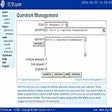
Create a multiple choice quiz supports user and admin login create a 52 question quiz
Free
Deliver and analyse exams
Free
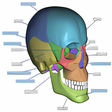
BoneLab: Educational Tool for Anatomy Learning

A new way to teach and train
Create quizzes for the web
Simply the easiest way to read on a computer
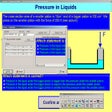
Create interactive tests, tutorials and quizzes
Improve your reading speed and comprehension
Learn to read faster both on and off your computer
Silhouette Studio for beginners
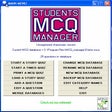
Practice multiple choice question tests
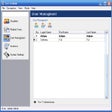
Comprehensive and professional testing solution
Create computerized quizzes with ease