


4.8
Free
Best PDF Converter
A free app for Windows, by best-pdf-tools.
 MemorialApps
Safe & trusted downloads
The best software, verified by experts

Windows utility for merging, editing, securing PDF documents
Merge multiple files into a single document, split large reports by page ranges, and convert files to PDF/A for archiving. PDF to PDF from Best PDF Tools is a Windows office-suites utility that runs offline and targets office professionals, students, and home users. It groups page-level editing, security, and annotation tools into a single interface, and supports legacy Windows versions while keeping installation lightweight for older hardware.
PDF to PDF handles common document management chores used in office workflows. It merges and splits files, extracts pages, and applies rotation or cropping at page level, which supports producing deliverable reports and client packets. The tool also converts files to PDF/A for long-term preservation, and includes annotation and image insertion so reviewers can mark up documents before final distribution.
The app concentrates editing, conversion, and security steps into one offline process. Users can run page rearrangement, then add password protection and encryption in the same session, avoiding export-import cycles. Conversion both to and from PDF formats is available, which helps when preparing archived records or converting received documents for editing and review.
Compatibility and performance align with small teams and older desktops. The installer is lightweight and the program supports Windows XP, Vista, 7, 8, and 10, which fits organizations keeping legacy machines. Offline processing provides document privacy and faster local operation without an internet connection, making it suitable where network access is restricted or sensitive records are handled.
PDF to PDF suits individual contributors and small teams that need offline, page-level document control on legacy Windows hardware. Its focus on local processing and PDF/A conversion makes it useful for archiving and secure handoffs. Teams that require cloud collaboration or integrated online review workflows should consider alternative tools that provide shared storage and real-time collaboration features.
PDF to PDF for Windows
Free
A free app for Windows, by best-pdf-tools.

Free
A word processor especially for writers

Free
A free app for Windows, by best-pdf-tools.
Free
PDF editing software for PC
Trial version
A multifunctional PDF editor for PC

Free
A nostalgia-inducing PDF reader

A lightweight word processor for everyday use

Good alternative text editor for writers
Microsoft Office Word Viewer for Windows: Word at a glance
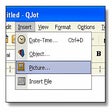
Text editor with RTF and DOC format support
Word Processor with some very useful and powerful capabilities

Create spreadsheets and formulas in a few clicks

With Ablebits.com Merge Cells Wizard you can merge data from several Excel cells into one cell using any separator you like.

Control Your Lawn and Garden With a Controller For WYZE
Soft4Boost Document Converter is an easy-to-use software application designed to view and convert various types of documents
Free service pack manager for MS Word
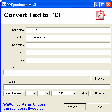
Mini office you can carry around on a USB stick