
4.8
Trial version
iMetaSearch
Search through thousands of search results in a flash
 MemorialApps
Safe & trusted downloads
The best software, verified by experts
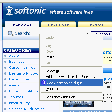
This Firefox extension enables you to create new custom search engines for the browser's search bar in a completely automated way.
Just open the webpage you want to create the new search plug-in for, right click on the keyword input field and select "Add OpenSearch plugin" in the context menu. A dialog will open for you to enter the new search engine name and description.
Once done, you'll have a new search engine to choose in your search bar menu and therefore you will be able to perform searches in your favorite webpages from any site.
OpenSearchFox for Windows

Type in a language of your choice

Zotero: essential tool for research management

Bringing your apps closer to your browser workflow

Simplified device management and network configuration

Simplify your life with Google’s digital notepad
Trial version
Search through thousands of search results in a flash

Free
Create a personal search engine using a visual map of context-based tags

Free
Query multiple search engines from your desktop simultaneously
Free
Perform automated searches in Internet

Free
Streamlined Browsing with Unified Search

Free
Add any search form to Firefox search engines

Efficient Browser Management Tool

LinkExtend: A Useful Browser Add-on

Save Your Clips with Eclips

Leave comments on any website

Enhance Your Browsing Experience with Zemanta

Recipefox: A Useful Add-on for Windows Browsers
Explore Personalization with About:me
Enhance Your Browsing with Tab Kit

Radiotic: A Free Windows Browser Add-on

Provide grab-and-drag type scrolling in Firefox

Efficient Shortcut Tool for Browsing

Streamline Your Browsing with Digg Toolbar