




4.5
Free
Sinhala keyboard
A free app for Android, by Mehr un nisa.
 MemorialApps
Safe & trusted downloads
The best software, verified by experts
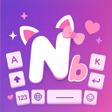
DIY keyboard theme studio with per-key visual and sound controls
Nibbi Keyboard: Themes DIY, developed by BrightNova Digital, is an Android personalization app that replaces the system keyboard so users can style their typing surface. Its main functionality centers on a DIY theme engine plus a gallery of professionally designed templates, custom fonts, interactive keypress sounds, and sticker support. The app suits Android users who want hands-on visual control of their keyboard and social media users who use distinctive fonts and stickers.
Nibbi behaves like a creative studio layered over the default keyboard, so typing gains a visually themed surface and extra multimedia access. The tool integrates an emoji and sticker library and accepts images from the device gallery for backgrounds. For quick reference, supported content types include:
The DIY engine exposes granular appearance controls beyond simple templates, letting users tune individual visual variables. Adjustable parameters include key border colors, background layering, and font hue selection, plus a selection of stylish typefaces for the layout. Interactive keypress sound effects are available to pair audio feedback with visuals. This combination lets creators adjust discrete aspects of the keyboard rather than applying a single preset style.
The developer designed the app to be lightweight, with an installer of about 32 MB and optimizations for different screen sizes and Android 5.0 and up. BrightNova Digital states the app delivers a "buttery-smooth" typing experience even with heavy visual customization, so performance impact is intended to be minimal. The app avoids claiming specific RAM or CPU numbers, but small download size and stated optimization point to modest resource demands.
Setup is straightforward: the app combines theme creation, font selection, sounds, and a template gallery inside one interface, which shortens the workflow for custom theme production. The developer issues regular content updates to the template gallery to refresh available looks. Early distribution data notes the tool is a recent release that is building its user base, so new templates and gallery additions arrive from active maintenance.
Nibbi is a practical option for creative Android users who want deep visual control of their typing surface. Expect in-app advertisements and permission prompts during installation; review requested permissions before granting full keyboard access. For anyone comfortable checking installation permissions and exploring template updates, Nibbi fits a workflow focused on expressive keyboards rather than minimal, distraction-free typing.
Nibbi Keyboard: Themes DIY for Android
Free
A free app for Android, by Mehr un nisa.
Free
A free app for Android, by TimmyStudios.
Free
Keyboard Theme - Choose Any Keyboard Theme You Wish
Free
Blue Flash Keyboard: A Patriotic Typing Experience
Free
A free program for Android, by Jack Martin Apps - My Photo Keyboard - Picture.
Free
Pink Love Keyboard Review