



2.9
Trial version
MP3 Normalizer
Normalize audio MP3 or WAV files music
 MemorialApps
Safe & trusted downloads
The best software, verified by experts
MP3Gain evens perceived MP3 loudness without re-encoding
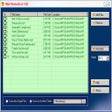
Applies ReplayGain analysis and writes lossless gain changes into MP3 metadata to equalize perceived loudness across tracks. Mp3gain, the Windows audio utility, targets DJs, music collectors, and audiophiles who manage large libraries. It performs batch operations, offers separate Track and Album modes, and stores undo information in tags. The app suits workflows where preserving original audio fidelity and reversible edits matter, while accepting a legacy interface and minor installation steps.
MP3Gain analyzes loudness using the ReplayGain algorithm and adjusts the global gain fields inside MP3 frames rather than decoding and re-encoding audio. This approach preserves bit-for-bit audio quality while making loudness consistent across files. The app also records undo information in APEv2 or ID3v2 tags so changes can be reversed, and it supports both Track and Album modes to respect inter-track dynamics.
The tool is designed primarily for MP3 files; AAC (.m4a) requires placing a helper program called aacgain next to the executable. It runs on Windows systems and may need administrative installation or Visual Basic runtime components to resolve MSCOMCTL.OCX errors. Unofficial ports exist for macOS and Linux, but native Windows operation remains the primary, documented path.
Batch processing and command-line automation let you apply the same loudness standard across entire folders, which suits large collections and DJ libraries. The interface is dated compared with modern audio suites, a point noted by users, yet the core function is narrowly focused and predictable. The app's single-purpose design makes it appropriate for library maintenance rather than for detailed mixing or mastering tasks.
The app serves archivists, DJs, and collectors who need predictable, non-destructive volume normalization across many files. Expect a compact, function-first experience that rewards familiarity with legacy Windows utilities; those seeking an integrated mixing environment or a modern interface should consider different software.
MP3Gain for Windows
Trial version
Normalize audio MP3 or WAV files music

Free
Free audio and MP3 converter to convert audio, music, MP3 and many other formats

Free
Enhance Your Audio with MP3 Quality Modifier

Free
A free, light, fast audio player that focuses on functionality

Free
A powerful audio editing tool

Comprehensive Music Management with Groove Music

Free Simple but Powerful Audio Recorder and Editor

Free, lightweight and easy to use audio player

A simple photo viewer with an easy interface

Free music manager and player with format converter and tag editor

One toolbox for scattered streaming libraries

TuneCable Spotify Downloader Review

Fliflik Voice Changer: Elevate Your Voice Experience
MS All File Converter

WishPlayer - Innovative Audio Player

TuneCable iMusic Converter