





4.7
Free
Am I Enrollment User
Check Intune Enrollment Status Easily
 MemorialApps
Safe & trusted downloads
The best software, verified by experts

Detailed Analysis with Microsoft Application Inspector
Microsoft Application Inspector is a free utility designed for Windows that specializes in source code characterization. This tool enables users to analyze software components, whether they are first or third-party, by identifying key coding features based on established library or API calls. It serves a dual purpose, being useful for both security assessments and non-security applications, allowing developers to understand the structure and functionality of their software more comprehensively.
The application provides a detailed examination of codebases, which can aid in identifying potential vulnerabilities or simply understanding external libraries’ usage. By leveraging its capabilities, developers can enhance their coding practices, ensure compliance with best practices, and improve overall software quality. Microsoft Application Inspector stands out as a valuable resource for those looking to enhance their software analysis and security evaluation processes.
Microsoft Application Inspector for Windows
Free
Check Intune Enrollment Status Easily

Free
Comprehensive Overview of Microsoft GameInput

Free
Analyze Azure Templates for Best Practices

Free
Efficient Management with DSC Databricks CLI

Free
Resolve Printer Metadata Issues Easily
Free
Quickly free occupied ports from PowerToys Run
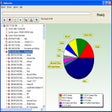
Analyze and free up hard disk space
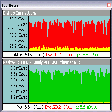
Analyze your bandwidth usage
Easily manages multiple open windows
Customize your shortcuts
Efficient USB and I3C Buses Tracing Tool
Be more productive
Manage Startup Programs Efficiently with StartupList

Store, categorize and re-use all types of information

Exploring Windows 8 Enterprise Trial Version
A free program for Windows, by INTEL CORP.

Intuitive software to display flip books in a three-dimensional manner

Efficient Utility for Windows Task Management