



3.2
Trial version
Macro Mania
Save time by automating your computer usage
 MemorialApps
Safe & trusted downloads
The best software, verified by experts

Macro Quantic Pro automates desktop workflows with local OCR
Experience one-click recording of mouse, keyboard, and scheduled macros with precise playback and background execution. Macro Quantic Pro, from Macro Quantic Pro, targets Windows users who need no-code automation for office tasks, testing, or gaming. Key functions include local OCR for text triggers, a Game Mode with an overlay and FPS counter, and Heliot AI assistance by voice or text, making the tool suited to users who want privacy-focused, on-device automation.
The app records mouse movements, clicks, and keystrokes with millisecond precision, and offers speed control, looping, and global hotkeys for one-click recording. It also supports scheduled tasks that run at set times or on system startup.
Background execution and a moderate disk footprint let macros run while you use other programs; the installer occupies roughly 200 MB to 600 MB depending on the version. The app runs on 64-bit Windows and is designed for background operation, which keeps active desktop workflows uninterrupted while macros play back with precise timing.
Local-first privacy and optional advanced features keep recordings and OCR data on the device rather than in the cloud, and no account is required to start in free mode. The interface supports no-code macro creation, while optional tools such as integrated OCR and the Heliot AI assistant provide guided automation; casual users can record simple sequences, while testers and power users can build condition-based workflows.
Macro Quantic Pro suits users who need on-device automation: it keeps data local, runs macros in the background, and offers OCR and an in-game overlay for gaming workflows. The main trade-off is that the advanced dynamic target detection, Smart Mode, is restricted to the Pro tier, which limits adaptive playback for users who rely on window movement handling.
Macro Quantic Pro: Macro Recorder / Autoclicker for Windows
Trial version
Save time by automating your computer usage
Free
TGMacro Automation Tool Review

Trial version
Keystroke and Mouse Macro Recorder

Free
Automate repetitive work instantly!
Trial version
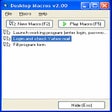
Record all mouse and keyboard events

Trial version
Record repetitive mouse and keyboard actions with just one click

A good choice for recording the screen!

A comprehensive screen recorder

Record activity on your screen with video and sound

Watch hundreds of TV channels worldwide

Excellent tool for capturing your screen in real time

Efficient Screen Capture Tool for Windows
Powerful screen capture tool

TV and radio stations from around the world for free
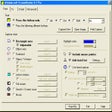
Screen catpure utility with support for more than 15 formats
Capture screenshots by mouse or keyboard then save, share and print and automate all of that.
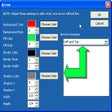
Capture screenshots with precision
A full version app for Windows, by Eassiy.