




4.5
Paid
Super Clock Wallpaper Pro
A free program for Android, by Peppernut Studios.
 MemorialApps
Safe & trusted downloads
The best software, verified by experts
Depth-effect lock screen with local AI processing for Android
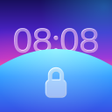
Lumen Lock Screen: Depth Clock places the clock visually behind subjects in any wallpaper, creating a layered 3D lock screen. Developed by Binod for Android, the app combines an on-device depth algorithm with a clock editor that supports 16 built-in fonts plus imported TTF/OTF files. It also supplies lock screen widgets for weather, battery, steps, and calendar, and targets users who want flagship-style lock screen visuals while keeping device security intact.
Lumen applies a real depth effect to user photos so the clock appears behind the main subject, not on top of it. The app processes images locally to identify the subject and render the clock layer accordingly. Beyond the depth treatment, it overlays music controls, notification grouping, and wake animations while leaving the system’s PIN, fingerprint, or face unlock as the primary security mechanism.
The app exposes font and style controls: 16 built-in fonts, plus support for importing custom TTF and OTF files, and clock styles such as Solid, Outline, and Duotone. You can tint album artwork, adjust font thickness, and choose a glass-style clock. Lock screen widgets include weather, battery (phone and connected devices), step counter, alarms, and calendar events, giving specific placement and appearance choices.
Depth processing runs on-device, so the app does not require an internet connection for its core features and does not create an external account. The developer states a no-ads, no-tracking policy and local AI processing, which means image analysis occurs on the phone rather than on remote servers. The app acts as an overlay and maintains native security workflows rather than replacing them.
Installation and initial setup are straightforward: the app places controls on the lock screen and provides quick access to widget and clock configuration. Official compatibility starts at Android 12 and newer devices, so the app targets recent desktops in the Android ecosystem and may not support older releases. Wake effects and smooth unlock animations are enabled by default and can be adjusted in the app's interface.
Lumen is a focused option for Android users who want a flagship-style depth clock and detailed typography control while keeping lock screen security unchanged. Its on-device depth processing and explicit no-ads, no-tracking policy make it suitable for privacy-conscious customizers. Note the requirement for Android 12 or newer when assessing compatibility for older devices.
Lumen Lock Screen: Depth Clock for Android
Paid
A free program for Android, by Peppernut Studios.

Free
Transform Your Device with Transparent Screen: Digi Clock

Free
3D depth clock wallpapers with live customization

Free
Timekeeping With a Little Extra Depth

Free
A free program for Android, by T-M.
Free
A free program for Android, by ARTwareSoftware.