





5
Free
Launcher iOS 15
A full version program for Android, by MH Apps Studio.
 MemorialApps
Safe & trusted downloads
The best software, verified by experts
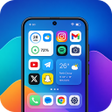
OS 17-style Android launcher with lock screen and Control Center
Recreates an OS 17-style home screen with widgets, a Control Center, and a customizable lock screen across Android devices. Launcher OS 17 - Maxx, from Codebizz Studio, bundles a launcher, smart app library, and built-in widgets into one personalization package. It highlights OS-inspired icons, fluid animations, HD wallpapers, and app-hiding tools. The app suits Android users who want an organized, iOS-like interface with performance optimizations and easy access to system toggles.
The launcher replaces the default home screen with an OS 17-style layout, including premium icons, folders, and integrated widgets for weather, calendar, clock, and battery status. It also offers an HD wallpaper collection and personalized themes that apply across the home panels. The app includes an app-hiding function to remove items from view without uninstalling them, and the Control Center provides quick toggles for common system settings.
It automates app sorting via a Smart App Library that groups applications into logical categories, reducing manual arrangement. Users can still pin apps and create folders manually, and the library serves as a secondary view for finding programs. The launcher also supports hiding specific apps for privacy, which keeps the primary home layout decluttered while preserving installed apps on the device.
The Maxx edition targets performance improvements and emphasizes smooth animations and fluid transitions for a lag-free feel, and the developer states the launcher is optimized for Android 10.0 or later. It runs as a foreground personalization app and includes animated elements and HD wallpapers that increase visual load; the app is free and typically uses advertisements, which users should expect alongside the optimization claim.
The launcher offers a focused way to adopt an OS 17 aesthetic on Android, aimed at people who want organized app access and integrated widgets without deep technical setup. Expect ad integration and extra graphical activity from animated wallpapers, which can raise system load on entry-level devices. Set it as your default home app through system Settings to make the interface permanent and test wallpaper and animation settings if you need lower resource use.
Launcher OS 17 - Maxx for Android
Free
A full version program for Android, by MH Apps Studio.

Free
Text-based Android launcher for distraction reduction
Free
Transform Your Android with iPhone 13 Pro Max Launcher
Free
A free program for Android, by ismail Akkulak.

Free
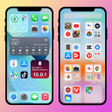
Enhance Your Android Experience with Launcher +
Free
iPhone 13 Launcher iOS 14

Lisa Blackpink Wallpaper: High-Quality Photos for Fans

Family Ringtones - Contacts Review

Heart Wallpapers - Change Your Phone's Look
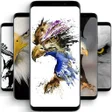
Eagle Wallpapers: High Quality Wallpapers for Your Android Device

Thank You Greetings App Review
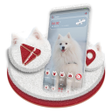
Pumaren Dog Launcher Theme: The Perfect Personalization Option

Diverse Profile Picture Collection for WhatsApp
Nokia Launcher - Bring Back Nokia 5300 Style to Your Phone
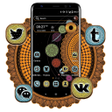
Planet Space Launcher Theme Review
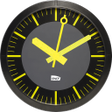
SNCF Clock Review: Stylish and Functional
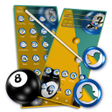
Pool Ball Launcher Theme - A Personalization App for Android

Micky Mouse Emoji Keyboard Theme Review