





4.1
Free
OS Launcher X 15
A free program for Android, by missoft.
 MemorialApps
Safe & trusted downloads
The best software, verified by experts

<h2>Launcher for iOS 17 Style 2026 gives Android an iOS-style home</h2>
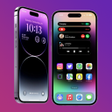
Try Launcher for iOS 17 Style 2026, developed by Nasim Alsharq LLC, to reshape an Android device into an iOS-inspired environment. The app replaces home screens, icons, and navigation elements and supplies animations and organized layouts for a consistent look. It includes a Control Center, App Library, Assistive Touch, widgets, and themeable icon packs. Android users who prefer an iOS aesthetic gain a single app that centralizes those visual and navigation changes.
As a launcher, the app replaces the device's default home and presents a redesigned interface that mirrors iOS visual cues. It puts emphasis on organized pages and animation polish, and it offers configurable grid sizes plus icon-pack support for per-app icon changes. That approach targets appearance and layout, not underlying system frameworks, so the tool surfaces a distinct look without altering core system binaries.
User feedback and the product summary note smooth animations and acceptable performance on modern devices. In practice, the launcher runs as a foreground home app and keeps background activity minimal when idle. Expect normal app-launch latency similar to other third-party launchers, and verify compatibility on older hardware since specific version requirements vary by device.
The launcher requests Accessibility Service access to enable optional system-level features such as gesture-based Back and floating controls. The developer states the app does not read typed text or send accessibility data to external servers, which reduces some privacy concerns. Grant permissions selectively and enable only the features you need, because Accessibility access can expose device interaction hooks to any app given that permission.
The app supports automatic app categorization and automatic layout options that reduce manual setup for casual users. Advanced theming and individual icon replacement are available for users who want granular control. To make it the primary launcher, follow the system path Settings > Apps > Default Apps > Home App, a one-time step that does not require advanced skills but does require locating the system setting.
Launcher for iOS 17 Style 2026 is a practical option for Android users who want an iOS-like appearance without installing multiple utilities. The main trade-off is that visual imitation may not match native OS behaviors on every device. Test the launcher on the device and confirm it runs smoothly before making it your primary home app, especially on older or lower-spec models.
Launcher for iOS 17 Style 2026 for Android
Free
A free program for Android, by missoft.

Free
A free program for Android, by Xinyi Network.
Free
A free program for Android, by Launcher and wallpaper Apps.

Free
A free app for Android, by K2 Media.

Free
A free program for Android, by Shajahan mp.
Free
A free program for Android, by Solwin Infotech.