





4.7
Free
Khmer eKeyboard
Khmer eKeyboard: An Efficient Way to Type Khmer Text on Android Devices
 MemorialApps
Safe & trusted downloads
The best software, verified by experts
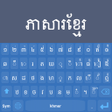
Khmer Keyboard: An Easy and User-Friendly Khmer Language Keyboard App
Khmer Keyboard is a mobile application designed for typing in Khmer language. It is a user-friendly app that features a simple and intuitive interface suitable for both beginners and advanced users. This app is ideal for those who frequently communicate in Khmer and need to type Khmer characters on their mobile devices.
The app offers a standard Khmer layout that includes vowels, consonants, and various diacritical marks. It also features a smart auto-correction feature that helps correct typing mistakes and suggests words as you type, saving you time and effort.
Khmer Keyboard also offers customization options, allowing you to personalize your typing experience. You can choose from a variety of keyboard themes, adjust the keyboard size and layout, and customize the key press sound and vibration. The app is compatible with all Android devices and can be used in any app that requires typing, including messaging apps, social media platforms, and email clients.
Khmer Language Keyboard for Android
Free
Khmer eKeyboard: An Efficient Way to Type Khmer Text on Android Devices
Free
Tai Keyboard - ၶပတတ
Free
A free app for Android, by HasseTech.
Free
A free program for Android, by sourcefixer.

Free
Baloch Keyboard +: A Unique Keyboard for Baloch Language People
Free
Chandroid Indian Keyboard - A Simple Indian Language Input Tool

A free app for Android, by Burrows Apps.
Effortless Wi-Fi Management with Show WiFi Password
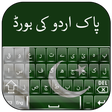
Pak Flags Urdu Keyboard: An Amazing Keyboard For Urdu Write

Rotation Key: Unlock Advanced Features of Rotation App

A free app for Android, by SoftwareOS.
Efficient File Recovery Tool for Android
Gallery Pro: Securely Organize, Share and Enjoy Your Photos

Versatile Utility App for Fun Celebrations

Merge Mystic Wars: Strategy Meets Combat
Efficient Note-Taking with NoteEase

Efficient QR Code Scanning with OptiScan