




3.5
Free
Thumba Wumba
Create better photo galleries and thumbnails
 MemorialApps
Safe & trusted downloads
The best software, verified by experts

GstarCAD Professional: DWG-native 2D/3D CAD with fast performance
Creates DWG-native 2D drawings and ACIS-based 3D models while using multi-core processing and a Dynamic Block editor for parametric components. Gstarsoft supplies this Windows desktop CAD package aimed at architecture, engineering, and mechanical design professionals, and the app mirrors familiar command aliases to ease migration from other platforms. It supports native DWG/DXF exchange, PDF import/export, and a range of developer APIs, making it suited to teams that need direct AutoCAD file compatibility and script reuse.
GstarCAD serves technical drafting and 3D design workflows by offering 2D documentation and ACIS-based solid and surface modelling. The tool keeps a command structure and interface that matches common CAD conventions, so you can open, edit, and save DWG/DXF files without format conversion. Its Dynamic Block Editor lets you create intelligent blocks, which supports repetitive drawing tasks and parametric components in building or mechanical layouts.
The app handles native DWG and DXF files, plus PDF import and export for documentation exchange. Multi-core processing supports large drawings during editing and export, which improves responsiveness on complex projects. API compatibility includes LISP, VBA, .NET, and GRX, so existing AutoCAD scripts and routines can run or be adapted, reducing work when you migrate automation and custom tools.
You get professional-grade capabilities aimed at AEC and mechanical designers, with advanced 3D modelling and developer APIs for deeper integration. Onboarding is eased by the familiar interface and command aliases, which shortens relearning for experienced CAD users. The developer offers perpetual and network licensing options, including standalone or USB dongle ties, which targets firms that prefer fixed-install deployments over cloud-only models.
If you need DWG compatibility and a Windows-focused CAD desktop that preserves existing scripts and workflows, GstarCAD is a strong option for teams migrating from other CAD systems. Expect a responsive editor and usable 3D tools, but plan license deployment around standalone or network options rather than cross-platform mobility. It serves as a practical entry point for firms prioritizing file fidelity and on-premise control.
GstarCAD Professional for Windows
Free
Create better photo galleries and thumbnails

Free
Quickly view your photos

Free
Free photo album creator

Trial version
Solid CAD software
Free
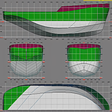
3D hull design with hydrodynamics calculation tools

Free
Enhance CAD Viewign with DWG FastView

Free painting program for kids

Easy photo retouch at your fingertips

Now3D: Free Graphic Design Tool for Windows
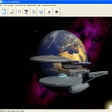
Animate models and create 3D environments
Create web buttons in a few clicks for free
A trial version app for Windows, by Graphic-Region Development.

Brain-Teacher Games - Draw It, Draw It, and More

Add watermarks on your photos
Generate topographical contours in this AutoCAD plugin

Nearly 3000 images and icons to use and modify
Free Graphic Design Tool for Windows

A trial version Design & photography program for Windows