





2.2
Trial version
Wipe Bad Disk
Erase data permenantly on disks with bad sectors using uique algorithms.
 MemorialApps
Safe & trusted downloads
The best software, verified by experts
Specialized USB recovery for pen drives and flash storage
Recover deleted or formatted files from USB flash drives using deep signature scans and a guided wizard workflow. Green Pen Drive Data Recovery Pro, from green-datarecovery, targets Windows desktop users in the utilities-tools category and focuses on pen-drive scenarios. Key capabilities include signature-based identification of more than 300 file formats, scan previews, and filesystem support for FAT, NTFS, and exFAT. It suits individual users and office staff who need a focused, device-specific recovery workflow for damaged or formatted USB media.
The app performs a signature-based search that identifies files by their data patterns rather than directory entries, which lets it list recoverable items from drives that appear empty. Scan results include a preview pane so you can inspect documents, photos, or videos before restoring. The interface follows a wizard model that steps through device selection, scan type, and filtered results, and it displays device details such as model and capacity during the process.
The developer optimised the program for a lightweight footprint, and the installer is small with minimal background resource use during scans. In practice, the scan runs while the storage device is detected by Windows and does not require exclusive access to other drives. CPU and RAM load remains modest during signature searches, letting you continue other desktop tasks without interrupting the scan session.
The tool operates in read-only mode during scanning, so it does not write to the target device while identifying file signatures. That reduces the risk of overwriting remaining data on the pen drive. For damaged or logically corrupted partitions the program reconstructs files from raw sectors, and the preview feature shows file contents prior to any write operation, which clarifies recoverability before you commit to restoration.
The wizard-based workflow guides non-technical users through device detection, choosing deep or quick scans, and applying filters to locate files. Advanced users can rely on filesystem options and detailed device information when diagnosing partition issues. The combination of stepwise prompts and filtering means casual users can run a basic recovery without specialist training, while office professionals can adjust scan depth and file-type filters for targeted retrieval.
The app is a practical recovery option for Windows users who need focused retrieval from USB flash drives and pen drives, offering signature searches and preview before restore. The main trade-off is its narrow scope: it concentrates on removable flash media rather than handling broader storage scenarios. For anyone dealing specifically with damaged or formatted pen drives, it performs reliably within that narrow remit.
Green Pen Drive Data Recovery Pro for Windows
Trial version
Erase data permenantly on disks with bad sectors using uique algorithms.

Paid
Amazing Dr. Recovery: Windows Data Recovery Software

Trial version
Pen Drive Data Recovery Software to Recover Deleted Data from Pen Drive or from Corrupted, Formatted Pen Drives
Free
Use the Windows 8 Task Manager in Windows 7
Free
Reliable tool for restoring lost flash drive files

Paid
partition bad hard disk with high efficiency and error robustness

Update 2 to Windows 8.1? It's called the August update

A trial version PC games program for Windows

Defrag and optimize Windows Registry

DVD vob file editor
Monitor Your Hard Drive Activity Easily
Replace the Windows start menu
Download Chipset: ATI Radeon* Xpress 200

Complete tool for file management

Windows Live Mail Converter - Use your Windows mail data in other e-mail clients!
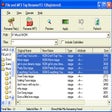
Rename all types of files and MP3s
SSH Vault for Visual Studio Code
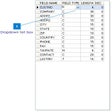
Recover corrupt DBF files