



3.3
Free
VAMP Media Center
Complete multimedia suite
 MemorialApps
Safe & trusted downloads
The best software, verified by experts
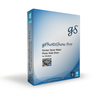
Hardware-accelerated slideshow creator with executable exports
Creates DirectX 11 hardware-accelerated slideshows with over 70 transition effects and exports standalone .EXE or .SCR files. From gPhotoShow.com, this Windows photography tool handles large libraries, offers Pan & Zoom, 360-degree panoramas, and metadata text overlays, and supports multi-monitor setups. It suits photographers and businesses who need display-ready presentations or screensavers and want control over playback, ordering, and playlisted background music without leaving the Windows environment.
gPhotoShow Pro turns photo and video collections into presentation-ready slideshows. It assembles images, videos, and music into timed sequences, applies cinematic effects such as depth-of-field and dust particles, and exports royalty-free standalone executables for distribution. Photographers building digital frames and businesses creating lobby displays get explicit features for automated, unattended playback and independent control across multiple screens.
The tool supports common video formats and RAW display through WIC codecs, and integrates with VLC and MPC-HC for broader playback. It handles 360-degree spherical panoramas and reads Exif, IPTC, and XMP metadata for text overlays. Export options include .EXE and .SCR so a slideshow can run on a machine without the app installed, which suits distributed displays and standalone kiosks.
DirectX 11 acceleration and multi-monitor control keep performance steady with big collections. The app offers weighted randomization and smart filters by keywords, ratings, and dates, helping order images in large folders. Independent output for up to 32 monitors means different displays can run separate slideshows simultaneously, a configuration aimed at exhibition and corporate signage environments.
The interface balances deep options with accessible presets, as shown by Pan & Zoom modes and PhotoWall templates alongside advanced filters and metadata overlays. Although advanced customization exists, the presence of preset display modes and playlist management gives newcomers an entry point. Users must manage image provenance responsibly when exporting public displays, since standalone executables make content redistribution straightforward.
gPhotoShow Pro suits photographers, digital-frame builders, and businesses that need controlled, distributable slideshows across one or many displays. Its export-as-executable feature and DirectX-accelerated effects make it practical for unattended installations, while advanced filters and panorama support reward users who want fine-grained presentation control. Recommend it for curated public displays and portfolio presentations that require standalone playback and precise sequencing.
gPhotoShow Pro for Windows

Record videos, take snapshots with ease!

Explore Fractal Art with Apophysis

Imagine a good image viewer

Merge your photos and get interesting results

Software to Convert DICOM Files into NIfTI Format

Explore Your Creativity with Photomania

Correct the perspective in your photos

FCorp - Imaging: Efficient Image Editing and Management Tool
Convert your images in to thumbnails for the web

Create Stunning Collages with Ease
Explore Photography with Adobe Rome

Free online tool for unique images