





4.6
Free
HiBit Uninstaller
Multi-purpose uninstaller and clean-up utility
 MemorialApps
Safe & trusted downloads
The best software, verified by experts
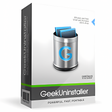
Lightweight program uninstaller for PC
Geek Uninstaller is a free utility tool made by developer Thomas Koen. It is a program uninstaller that helps users remove applications from their PCs easily. In addition, it also scans for any leftover files from the uninstallation process and deletes them, as well.
Geek Uninstaller is an alternative to other uninstaller tools like IObit Uninstaller and Revo Uninstaller. What makes it different is that it focuses more on simplicity and ease of use, while still offering all the essential features that users look for in this type of utility.
When you first open Geek Uninstaller, you’ll be presented with a simple and compact user interface. All your installed programs are shows in a list, showing their names, file size, and installation date. You can filter the list to show either Desktop Apps or Windows Store Apps from the View menu up top. Alternatively, you can type in a specific app in the search bar below.
To start, click on a program and choose Remove from the Action menu. This will also be the same for Windows Store apps. It will then search for any leftover files or registry entries that you can delete. There will be instances when you'll encounter corrupted apps that won't uninstall. You can use the Force Removal for these. This also applies to any traces it leaves behind after the process.
Lastly, there is an option to export your program list to an HTML file for your reference. One thing to note with Geek Uninstaller is that while it's free, it also lacks some advanced features found in its Pro version, including tech support, real-time installation monitoring, and many others. If you need those, you'll need to purchase a license to be able to use them.
Geek Uninstaller does what it's supposed to, and it does it very well. It's lightweight, portable, and works fast and reliably. Plus, being able to remove Windows Store Apps and corrupted programs is a nice and appreciated addition to its feature set. While the Pro version offers more, this Free version will suffice for most needs.
Geek Uninstaller for Windows
Free
Multi-purpose uninstaller and clean-up utility

Free
Debloater tool for Windows applications

Free
IObit Uninstaller: deep removal, install logging, and app relocation

Free
Free uninstaller software for Windows

Free
Optimized application uninstalling

Free
Uninstall apps with speed and ease

SymMover Review

Comprehensive Data Recovery with MyRecover

File system link management

PC Internals offers real-time hardware and drive health monitoring

Efficient Directory Listing Tool for Windows
Best Text Readers For Windows 10

Your command-line experience transformed

Efficient File Management with Univik vCard Joiner

Efficient Duplicate Management for vCards

Comprehensive Backup & Restore Tool for Exchange Servers

Efficient Disk Cloning with Donemax Disk Clone

Fast data transfer and backup solutions for iPhone and PC users