
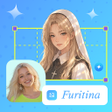
Furitina Image Creator for Android
Furitina Image Creator: Fast anime-style portrait generation on Android
- Free
- 4.2
- V 1.0.0
Furitina Image Creator: Fast anime-style portrait generation on Android
Furitina Image Creator by Naughty Tiger turns ordinary photos into anime-style portraits, serving casual creators and fans. The app uses AI to generate stylized images from user uploads, showing real-time progress and storing a history of projects. It includes a diverse library of portrait templates, one-tap save and social sharing, and a simplified three-step workflow. This approach suits social media creators and anime enthusiasts who want quick avatar generation without advanced editing skills.
What does Furitina produce and how does it work?
Furitina converts device photos into anime-style portraits by applying AI-driven templates to uploaded images. The workflow is deliberately compact: Upload, Pick Style, Generate, which matches the app's three-step design. The app offers a template library for different portrait aesthetics and presents generation progress in real time, so users can watch the conversion rather than guessing when it will finish. Outputs are intended as stylized avatars and social media images.
Does it affect device performance during image generation?
The app is described as lightweight, with an installer under 10 MB, and it targets Android devices that meet modern OS expectations for AI processing. That size suggests minimal storage impact on most devices, though the developer notes a modern Android version is required for optimal processing. The real-time progress indicator implies generation happens on-device or via a responsive pipeline, but specific CPU or memory figures are not provided.
Is it safe to use and how does it handle your files?
Furitina provides direct save-to-gallery and social sharing functions, so completed images are written to device storage as part of normal operation. The app also keeps an integrated history log for past projects, giving users a local record of generated images. Those features imply the app stores outputs and metadata on the device, which is useful for managing previous creations but means storage permissions are likely required.
Do casual users need technical knowledge, and how deep are the editing options?
The target audience is casual creators and anime fans, and the interface matches that aim: the simplified three-step flow and one-tap save emphasize speed over granular control. The developer's portfolio of similar stylized apps suggests a focus on specific aesthetic results rather than manual editing toolsets. Users who prefer quick avatar production get a low-friction experience; those needing detailed image editing may find the app's scope narrow.
Furitina is a practical choice for quick stylized avatars on Android
The app suits anime enthusiasts and social creators who prioritize fast, template-driven portrait generation and minimal setup. Its small installer and short workflow favour convenience, while reliance on a modern Android environment limits consistent results on older devices. Expect an app built for speed and aesthetic consistency rather than detailed post-production control. Recommended.
Pros
- Specialized anime-style templates for portrait generation
- Installer under 10 MB, minimal storage footprint
- Real-time progress indicator during image generation
- Integrated history log and one-tap save/share options
Cons
- Focused on portrait-style outputs, limited editing depth
- Requires a modern Android OS for best AI processing
- May include ads or credits for certain generation features
Furitina Image Creator for Android
- Free
- 4.2
- V 1.0.0




