3.1
Trial version
Magic Cutter
Magic Cutter: Effective Multimedia Tool for Mac
 MemorialApps
Safe & trusted downloads
The best software, verified by experts

Fast, lossless trimming and merging for quick Mac video edits
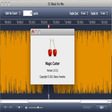
Trim unwanted segments and merge multiple clips using lossless direct stream copy and a simple two-tab workflow, all in seconds. Developed by dvdvideomedia for Mac users, the program focuses on quick cut and join tasks rather than full editing suites. It supports MP4, AVI, FLV, MOV, and WMV formats, offers drag-and-drop operation, and processes large files rapidly. You get an entry-level tool aimed at casual creators and social media contributors who need fast, no-frills editing.
The app performs two core actions: cutting out unwanted footage and joining clips into a single file, using a two-tab interface designed for minimal setup. Its attempt at simplicity shows in a drag-and-drop workflow and a focus on speed, which suits casual users and social media creators who need quick edits rather than complex compositing or effects.
The app accepts common formats such as MP4, AVI, FLV, MOV, and WMV and can merge files of different formats into one output. It uses direct stream copy technology for lossless cutting and joining, which preserves the original video quality because it avoids mandatory re-encoding during those operations.
Processing is built for speed: the tool advertises the ability to handle a 1GB HD video in roughly 10 seconds on capable hardware, which explains the "blazing fast" claim. That speed, combined with avoidance of re-encoding, reduces export times for simple trims and merges compared with re-encoding workflows.
The interface prioritizes immediacy over depth, so you don't get timeline layering, filters, transitions, or an audio mixing panel. Casual users gain rapid results from the two-tab layout, but anyone needing advanced editing controls must look elsewhere because the app intentionally omits those features.
You can rely on the app as a quick gateway into basic video editing: it removes segments and combines clips fast while preserving original quality. If you want effects, transitions, or multitrack audio control, the app lacks those capabilities, so consider a more fully featured editor when you need precise creative control.
Free Video Cutter Joiner for Mac

Free cross-platform multimedia player

Download HD videos freely

Download Adobe Premiere Pro CC for Mac — An Empowered Software For All

Where motion, effects, and imagination come together

ClipGrab: a straightforward Mac downloader and converter for creators
Trial version
Magic Cutter: Effective Multimedia Tool for Mac

Paid
Any Video Splitter - Segment your videos with ease

Free
Be a master in editing

Free
Switch Free Audio and MP3 Converter for Mac

Free
Create time lapse movies quickly and easily.

Free
Powerful video converter and editor

A multifunctional converter

Convert AVI, WMV, MOV, MP4 to MP3 for free

Efficient Tool for File Splitting and Concatenation

Versatile Video Tool That Gives You So Much

A basic Blu-ray ripping tool for Mac users
Create time lapse movies quickly and easily.

A free program for mac

A free program for Mac, by Amazing-Share.

Convert all regular video files on Mac