
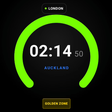
Forex Market Hours Clock for Android
Live global Forex session clock with Golden Zone tracking
- Free
- 4.8(4)
- 882
- V 1.0.0
Live global Forex session clock with Golden Zone tracking
Displays live session activity and countdowns for London, New York, Tokyo, and Sydney, helping traders spot active windows and overlaps. Forex Market Hours Clock by nozda runs on Android and its browser extensions, offering automatic local time detection and DST handling. The app provides real-time timers, customizable alarms, and both analog and digital faces, making it suitable for day traders, financial analysts, and forex traders who must align trades with market liquidity cycles.
What the clock shows and how it fits trading work
The app plots each major session on a single timeline and adds real-time countdowns to the next open and close, so you can plan order placement around market windows. Session overlaps are highlighted to expose the so-called Golden Zone between London and New York, which the app labels visually. This lets traders coordinate entry and exit timing without manual time zone math.
How the session workflow and alerts support live execution
Customizable session alarms notify users at opening and closing times, and the automatic local time detection removes setup steps. Use the alarms to trigger pre-trade checks or to prepare watchlists before a session overlap. The app supports both analog and digital displays andhour formats, so traders can match the clock face to their monitoring layout.
How easy it is to learn and run in a trading setup
Zero-configuration setup and automatic DST management reduce onboarding friction for traders who need immediate visibility. The minimalist, light-and-dark interface focuses on the timeline and timers rather than menus. Prior forex knowledge is helpful because the app assumes familiarity with session names and the Golden Zone concept rather than offering educational walkthroughs.
Compatibility, performance, and where it sits among tools
The Android app includes browser extensions for Chrome and Firefox, so session tracking can appear on desktop trading screens as well as on mobile. Real-time timers and automatic DST handling support stable session alignment; the ad-free primary versions keep the display uncluttered. For traders needing deep analytics, this tool is a session clock rather than a trade-execution platform.
Clear choice for traders who want precise session timing
Forex Market Hours Clock is a focused option for forex traders and analysts who need accurate market-hour visibility and overlap alerts. It favors simplicity and immediate session awareness over analytics or order management, so traders seeking integrated charting or trade execution will need separate tools. For anyone scheduling trades around global market hours, the app delivers reliable session timing and alerting in a compact package.
Pros
- Highlights London–New York Golden Zone for peak liquidity windows
- Automatic local time detection with DST adjustments
- Custom alarms for session openings and closings
- Analog and digital clock faces plus 12/24-hour formats
Cons
- Does not provide charting or trade execution features
- Assumes users understand session names and the Golden Zone
Also available in other platforms
Forex Market Hours Clock for Android
- Free
- 4.8(4)
- 882
- V 1.0.0
Top downloads

UPI Soundbox: Mobile Alert
UPI Soundbox: Mobile Alert turns Android phones into transaction announcers

Coins.ph Wallet
Virtual Payment System for Smartphone Users

Nept Track
Habit tracker, expense tracker, to-do list and notes. Offline, no sign-up.

Checkbook
A free Finance app for Android

PC Remote
Turn your mobile device into your game controller