




3.5
Free
ERP PHARMA
Software Application to Support Pharmaceutical Professionals
 MemorialApps
Safe & trusted downloads
The best software, verified by experts

Windows ERP for small retailers: POS, invoices, and inventory control
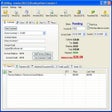
Turns a Windows PC into a functioning cash register and back-office hub, handling invoices, orders, inventory, and supplier records. ERP SMALL BIZNESS, from woungly, positions itself as a small-business finance and management tool for retail and SME workflows. Key components include invoice management, order tracking, customer and supplier databases, and a sales assistant interface. The tool fits small shop owners and grocery managers who need a single desktop application to run daily sales and basic accounting tasks.
The app consolidates point-of-sale and back-office finance tasks by combining invoice management, order management, inventory monitoring, and supplier records in one Windows program. The software's primary role is to act as a PC-based POS while keeping transactional data and customer histories in a central database, which supports retail environments that need an on-premises, desktop-focused workflow rather than a cloud-first setup.
Daily workflows run from the Sales Assistant interface, where users create and track invoices, process customer orders from placement to fulfillment, and update stock levels in real time. The customer database stores contact information and interaction history, and the integrated search function locates entries quickly. These elements let a single operator manage frontline sales and reconcile records without switching between separate programs.
Setup and use suit small businesses with limited IT support; listings note a straightforward setup and an interface praised for accessibility. The tool targets owners and retail managers rather than specialist accountants, so prior enterprise ERP training is not required, though users should expect a desktop installation and local data handling rather than cloud onboarding tools.
Performance aims for low-resource Windows machines; the software runs on Windows 7 through Windows 11 and x86 systems, and it's described as lightweight enough for older hardware. Compatibility is desktop-focused, so file exchange and integrations are centered on local exports and on-premises workflows rather than cross-platform cloud synchronization.
ERP SMALL BIZNESS suits small retailers and solo business owners who need a single, desktop-based system to manage sales, invoices, and stock on standard Windows hardware. It favors on-premises, straightforward deployment over team-oriented cloud collaboration, so businesses that plan to scale into multi-location or cloud-first operations should consider that limitation before committing to the tool.
ERP SMALL BIZNESS for Windows
Free
Software Application to Support Pharmaceutical Professionals

Free
Free and Easy-to-Use Customer Management Tool

Free
Free ERP software

Demo
A demo app for Windows, by horizon-technology-solutions.

Free
Scalable inventory management software for professional use
Free
Free Invoice Maker: Go-to software application to create digital invoices
Free ERP software

Increase your crypto mining output
Invoicing solution for small business
Free used point of sale software system
Online Currency Trading Made Accessible to Novices

Secure bitcoin wallet for all major OS

Finance, Business & Productivity With BitPay for Windows

Free personal bank account manager

Professional invoicing for small businesses and freelancers

Get Accurate Assessment of Your Investment
Invoice, billing software for Windows