
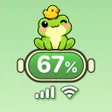
Emoji Battery Friends for Android
Emoji Battery Friends: playful status bar customization
- Free
- 4.1
- 10
- V 1.0.2
Emoji Battery Friends: playful status bar customization
Replaces the battery indicator with reactive emoji that change expression as charge level shifts, and adds drag-and-drop stickers, color controls, and notch overlays. Developed by Growly for Android, the app lets you keep just the animated battery icon or alter the entire top bar. It shows real-time previews, offers gesture shortcuts for quick actions, and targets users who prefer a 'kawaii' look or detailed interface tweaks rather than the default system appearance.
How the app alters the top-of-screen indicators
Emoji Battery Friends swaps the standard battery glyph for dynamic emoji that update with charge level, and it also edits Wi-Fi, signal, and clock visuals. The app lets you apply decorative overlays to the notch and change colors and sizes for system items, so the notification-area elements display custom artwork and different icon styles instead of the stock set.
How deep the customization controls go
The app offers per-element controls and interactive placement: users can drag stickers onto specific positions, set gesture shortcuts like double-tap or swipe on the top bar, and preview changes instantly. Presets are not mentioned in the source material, but the presence of real-time previews and drag-and-drop sticker placement demonstrates granular, manual control over each visible item.
What it costs in system interaction and permissions
The app uses the AccessibilityService API to draw overlays and respond to gestures, a requirement noted for modern Android releases. Because it runs as an overlaying personalization tool, it operates continuously while active; the source indicates compatibility depends on devices that support Accessibility overlays, which frames where it can run reliably.
How easy it is to set up and who it suits
Real-time previews let you see edits before applying them, and the app allows enabling only the emoji battery without replacing the whole top area. These choices mean casual users can pick a single whimsical icon, while people who prefer full control can place stickers and tweak icon sizes. The app targets Android users seeking playful, detailed UI changes.
Clear niche: decorative, interactive battery styling
The app is a focused pick for Android users who want expressive battery icons and hands-on placement of decorative stickers; it supports both single-icon use and full top-bar restyling. Expect to grant Accessibility overlay permission and test it on your device before committing to a complete makeover, since functionality depends on overlay support. For anyone aiming to inject personality into the upper screen area, the app delivers that specific change.
Pros
- Animated emoji reflect battery level visually
- Drag-and-drop stickers let you place decorations precisely
- Can enable only the emoji battery without full restyle
- Real-time previews show changes before applying them
Cons
- Requires AccessibilityService overlays to operate
- Functionality depends on device support for overlays
- No mention of automated presets for quick themes
Emoji Battery Friends for Android
- Free
- 4.1
- 10
- V 1.0.2




