



4.1
Trial version
Easy Screen Recorder
Record your activities
 MemorialApps
Safe & trusted downloads
The best software, verified by experts
Capture and save any screen picture or text on your computer screen, convert images to JPEG images, embed text messages directly into images, add date/time to your capture, and print any screen. You can also screen capture pull down menus on other applications, capture only a "part" of screens, convert an entire folder of images into jpeg images with one click, print the contents of folders, and copy any images into the windows clipboard. A variety of other options are also included for printing, saving, cropping (capturing an area of the screen), or even editing screen images. There is even an option for selecting different jpeg compression levels for those who want to save more space on your computer, and you can also embed text transparently over your captured screens. No extra run-time files are needed.
Features include:
Easyscreen Screen Capture for Windows
Trial version
Record your activities

Free
Make a Page an Imae with Screen Capture, Screenshot Share/Save

Free
Best recording software for desktop activity, gaming, streaming video, PPT, webcam, chat video, etc.
Trial version
Record screen activities like streaming videos, games, Skype calls and so on; choose the system audio or microphone audio.

Free
A free app for Windows, by ModuleArt

Trial version
This tool offers streamlined screen-recording versatility
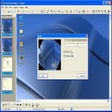
Simple and easy screen captures
Efficient Screen Capture Tool for Windows

A full version program for Windows, by acethinker.
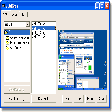
Customise your screen grabbing
Capture and edit images quickly
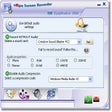
Grab and save activity and sounds from your desktop

A free basic screenshot tool
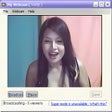
Capture webcam footage to a video file

Comprehensive Screen Capture Tool for Windows
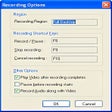
Record your desktop actions in AVI format

A video recording tool for PC