





3.7
Free
SnoopFree Privacy Shield
Detect and block programs that spy on your computer activity
 MemorialApps
Safe & trusted downloads
The best software, verified by experts

Silent Windows monitoring with keystroke and screenshot capture
Records keystrokes, captures periodic desktop screenshots and logs visited websites as part of continuous background surveillance, then sends reports by email. csspro distributes this Windows security-privacy tool aimed at parental control and employee oversight. It bundles advanced keylogging, chat capture and scheduled screenshotting for visual and textual monitoring, and it targets administrators who need remote visibility into a PC’s activity without being physically present.
The software records typed input, chat conversations, visited URLs and periodic screen images, then delivers collected logs to a configured email address. The recording list includes keystrokes and screenshots as explicit capabilities, and the remote delivery method is standard email reporting. This means an administrator can receive textual logs and images off-site without opening the monitored machine, because the tool can send activity reports automatically.
The tool runs in a hidden mode that typically does not appear in Task Manager, system tray, or desktop, which the developer documents as a design goal. That stealth orientation combines textual capture and visual snapshots in one package, giving a continuous record of user actions. Antivirus tools often flag agents with similar stealth behavior, a reception detail noted for this program, so administrators should expect detection challenges on protected systems.
The tool addresses scenarios where an administrator needs remote oversight of a Windows PC to check user behaviour or prevent data leaks on company-owned machines, or where parents monitor children's internet activity. It targets situations requiring persistent, off-site visibility rather than temporary auditing. The developer positions the application for parental control and employee monitoring, so the appropriate user is someone responsible for device administration who accepts continuous background recording.
The software provides persistent, remote visibility into a Windows machine for parents or employers who require continuous records. Expect effective capture of text and screen output and automated email delivery, but also expect potential antivirus flags because of its hidden operation. Administrators should balance the need for discreet monitoring against legal and ethical requirements before deploying the tool on any computer they do not own or administrate.
Computer Spy Software Pro for Windows
Free
Detect and block programs that spy on your computer activity

Trial version
Get Protegent Antivirus, best antivirus software for great computer security

Trial version
An Anti-Rootkit Software that Thwarts Different Malicious Software

Trial version
Cross-Platform Application to Securely Connect Multiple Devices

Trial version
A trial version app for Windows, by xsecuritas-inc.

Free
Protect your USB files

Built-In Security That Keeps Watch

Win Mobile Spy Software w PC Monitoring

The ad blocker for both your browser and your computer apps

Comprehensive Backup Solution for Windows
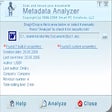
Remove extra info from Office documents

Folder locker, secure eraser and privacy manager all in one
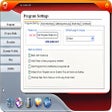
Keep web activity, files and documents strictly private
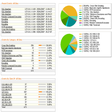
Protect websites and online applications from attacks
Solution pack for various MS Windows problems

Comprehensive Security with CyberDefender
Advanced rootkit remover and protector

Check your level of security from viruses and malware