



4.1
Paid
Teleprompter Pro
Software Application to Produce Scrolling Text Effects
 MemorialApps
Safe & trusted downloads
The best software, verified by experts
Enhancing Windows Command Prompt Experience
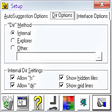
Command Prompt Facelift is a free productivity tool designed for Windows users looking to improve their command line interface. This software enhances the default Command Prompt by providing a more user-friendly and customizable experience. With features that allow users to change colors, fonts, and layouts, it aims to make command line interactions more visually appealing and accessible.
The program focuses on elevating the overall usability of the Command Prompt, catering to both novice and experienced users. It offers a straightforward interface and various customization options that enhance productivity. Users can personalize their command line environment to suit their preferences, ultimately making it easier to navigate and execute commands efficiently.
Command Prompt Facelift for Windows
Paid
Software Application to Produce Scrolling Text Effects
Trial version
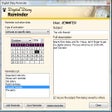
Personal diary tool with RSS reader, reminders and other extra tools

Trial version
Planning Projects Professionally
Free
fx-Calc is a dot net application, capable to define, visualize and calculate scientific functions.
Free
Simplified Hotel Management Software for Personal Computers

Free
The default GNOME client for Windows

Free Tool for Forgetful People
Convert your documents to PDF with a simple click

Java PDF viewer with print support
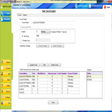
The software helps manage Student, Teacher, Courses, Batches, Fees, Attendance, and Marks.
A Free Productivity program for Windows
Digitise your notes for easy retrieval later

Change the editor that you use for 'View Source' with Internet Explorer
Launch an online search from any application
Work out the square footage of any area

A note organizer that looks more complicated than it is
Epubor EPUB to PDF Converter converts EPUB to PDF or convert EPUB books to be read on Kindle, Apple, Nook, Sony, PC e-reader

A Free Productivity program for Windows