





5
Free
Free Color Picker: color picker from screen
Free Color Picker: color picker from screen
 MemorialApps
Safe & trusted downloads
The best software, verified by experts

Precise screen colour capture and palette management for designers
Capture exact pixels with a magnifier and instant code conversion: Color Picker 4dots lets you lock any screen colour, view it under an adjustable zoom, and get HEX, RGB, HSL, or CMYK values. Developed by 4dots Software for graphic-design workflows on Windows, the app offers global hotkey access, palette saving, and a portable option. It fits designers and web developers who need fast, repeatable colour sampling across multiple monitors and projects.
The app captures screen pixels with a high-precision magnifier and displays their values in several code systems. The magnifier offers adjustable zoom for pixel-level accuracy, and pressing the Ctrl + F8 hotkey locks the colour under the cursor. Color values appear in HEX, RGB, HSL, and CMYK formats, so you can copy the exact code that matches web or print workflows without manual conversion.
Format support covers common web and print codes, listing HEX and RGB for screens plus HSL and CMYK for design shifts between digital and print. The app works across multiple monitors and supplies a portable executable, which means you can run it from a USB drive or local folder without installing. Those traits let you pick colours from any connected display and use the codes in other design tools.
Its lightweight, focused interface suits quick colour tasks. The system tray integration lets the tool run in the background, and automatic capture at specified intervals supports time-based sampling. Saved palettes provide a way to organise frequently used shades. Although the interface keeps options minimal, the multilingual support in 39 languages helps teams working in different regions.
Color Picker 4dots is a compact utility for designers and developers who require precise on-screen sampling and immediate code conversions. It sacrifices broad editing features in favour of a small footprint, quick hotkey access, and palette storage, making it a practical pick for repeatable colour work and fast handoffs to other design programs.
Color Picker 4dots for Windows
Free
Free Color Picker: color picker from screen

Trial version
A trial version app for Windows, by frameworkteam-software.
Free
A free Design & photography program for Windows
Trial version
Fast and small color picker to easily transfer color information
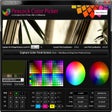
Free
Color picker with support for several color codes
Trial version
Powerful and professional audio file converter
Create impressive drawings with this free painting tool
Exploring Splashup Light: A Free Graphic Design Tool

A digital ruler for your Windows PC
Free modeling and 3D animation software

A Free Design & photography program for Windows
Create and display complex polyhedra
Build custom web or CD presentations in minutes
Add ultra clear type within Photoshop with this plug-in

A trial version app for Windows, by Amazing-Share.

A trial version Design & photography program for Windows

Visual GIF Animator 6.0.102
A trial version app for Windows, by yasisoft.