
Cardiograph for Windows
Cardiograph is a program that allows you to measure your heart rate using your computer’s webcam
- Free
- 4(1)
- 477
- V 1
Cardiograph is a program that allows you to measure your heart rate using your computer’s webcam
How to Use
Make sure the lighting conditions are normal in the room or the place you are trying to use Cardiograph
You will use your thumb or index finger to measure your heart rate, so make sure you don’t have nail polish on them.
Press the button with the Heart icon to start. The Heart button will turn red.
Now put your finger over computer webcam. Make sure you cover the whole camera and do not let any light get in. Be relaxed and don’t use much pressure because that will affect the blood pressure in your finger and it will be hard to read your heart rate.
Wait for at least 12 seconds (maybe just a little bit more) and the results will show up.
100% free.
Supports all windows versions (XP, Vista, 7, 8, 8.1 and 10. 32-bit and 64-bit).
Currently there are no reliable Hear Rate Monitor applications and the ones that exist need very complex settings.
Cardiograph is simple and easy to use.
Also available in other platforms
Cardiograph for Windows
- Free
- 4(1)
- 477
- V 1
Top downloads

Dream11
Winning the fantasy cricket experience
SofaScore
SofaScore brings the match center to your desktop

Championship Manager: Season 01/02
A classic and free football management sim game
Kinovea
Free Software for Sports Professionals
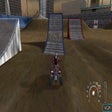
MX vs. ATV Unleashed
MX vs. ATV Unleashed: The Ultimate Off-Road Racing Game