Car TV M3U IPTV Player for Android
In-car IPTV and media hub for Android head units
- Free
- 4.9
- 3
- V 1.0.0
In-car IPTV and media hub for Android head units
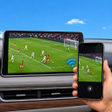
Plays M3U and M3U8 IPTV playlists, streams from Jellyfin or Emby, and mirrors local phone videos to a car display, all tailored for parked-vehicle use. Car TV M3U IPTV Player, from Hotstuffbulldogs, targets in-car entertainment during charging or waiting periods and centralizes live streams, personal media, and web links. Key functions include playlist import, remote-phone playback controls, and casting support. It suits drivers with Android-based head units who want consolidated playback on a compatible car screen.
What the app does for in-car viewing
Car TV M3U IPTV Player accepts user-provided M3U and M3U8 playlists and plays local phone videos and web links, so it acts as a single playback hub for multiple media sources. The app also connects to Jellyfin and Emby servers to stream personal libraries directly to the car display. Those features make the app a media aggregator for vehicle downtime rather than a channel provider.
How the app connects a phone to a car screen
The app supports Miracast screen mirroring and physical USB-C to HDMI output, which means connection depends on the phone and head unit supporting video output. It also offers casting and remote-control functionality so the phone can manage playback on the car display. Full functionality requires a compatible car head unit or display that accepts the chosen connection method.
Where it works and where users should be careful
The app is optimized for use while the vehicle is parked, such as during EV charging sessions or while waiting, and the developer designs it with accessible playback controls for car displays. The player does not include built-in channels; users must supply authorized M3U playlists. Users are responsible for ensuring their playback complies with applicable platform terms and local regulations regarding in-vehicle media use.
Practical value and who should choose it
The app is a focused option for Android car owners who want to consolidate IPTV playlists, personal server libraries, and local videos into a car-friendly interface. Confirm your head unit supports Miracast or USB-C video output before relying on it for regular use. Use the phone as a remote control and stick to parked-vehicle viewing to match the app’s intended safety constraints.
Pros
- Accepts M3U and M3U8 playlists for live IPTV streaming
- Connects to Jellyfin and Emby to stream personal media
- Supports Miracast and USB-C to HDMI for car displays
- Phone can act as remote control for playback on the head unit
Cons
- No built-in channels; users must provide authorized playlists
- Requires a head unit that supports Miracast or USB-C video output
- Designed for parked use, not for viewing while driving
Car TV M3U IPTV Player for Android
- Free
- 4.9
- 3
- V 1.0.0