




3.5
Trial version
WinImage
A trial version Software utilities program for Windows
 MemorialApps
Safe & trusted downloads
The best software, verified by experts
BOOTPART lets you add partitions to the Windows NT/2K/XP Multiboot menu. Usually, you will only have a MSDOS or Windows 95 entry and one (or several) Windows NT entries on this boot menu.
With BOOTPART, you may add any partition to the menu. You may add an OS/2 Multiboot partition, or a Linux Partition (with Lilo) to this menu.
BOOTPART creates a 512 byte file which contains an image of the boot sector that loads the boot sector of the partition. This file is declared in C:\BOOT.INI (text file used by Windows NT boot menu). The boot sector itself comes from FDFormat and WinImage.
BootPart for Windows
Trial version
A trial version Software utilities program for Windows
Free
Set Windows XP up as you want with more than 50 options
Free
Analyze the performance of your PC
Free
Choose locked folders to be deleted after restarting
Free
Integrated tool to create multiboot CDs and DVDs

Free
Comprehensive Utility Tool for Windows Users

Back up your Android SMS, contacts, photos and videos on your PC

EaseUS MobiSaver for Android: Data Recovery Simplified

A free data recovery software

Excel To vCard Converter - Convert your business card data from excel to vcard in a few clicks.

Install the latest driver for HP deskjet 9600

Comprehensive Tool for Enhanced Privacy Management

A free app for Windows, by Canop
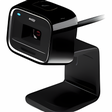
A Free Viewing Program For Your Microsoft LifeCamera

Free OLM to PST Converter Software with New Mask OLM File Conversion

Excellent task manager to check system active processes

Have a Certified Expert Available 24/7 to Handle All Your Daily PC Headaches
Optimize Your Windows System Efficiently