3.8
Free
Breeze Light Edition
Play and manage multiple streams of video, audio or pictures
 MemorialApps
Safe & trusted downloads
The best software, verified by experts

Multi‑channel dashcam player for synchronized telemetry and map analysis
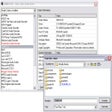
Aligns up to nine dashcam angles on a single timeline with frame-accurate synchronization, telemetry overlays, and map linkage. bbplay from Soondori Co.,Ltd. targets dashcam power users and investigators, offering high-speed keyframe indexing, multi-monitor panel layouts, and a drag-and-drop "Baby Eagle" import zone. Its workflow focuses on incident analysis and coordinated playback rather than casual media viewing, making it suitable for professionals who need precise, time‑aligned evidence reconstruction.
bbplay operates as a multi-channel analysis workspace that synchronizes multiple camera streams and sensor data on one timeline. It aligns video with real-time maps and sensor graphs to turn fragmented black box files into a single review session. The app emphasizes precise alignment through frame-accurate synchronization and Z-axis calibration, so users can inspect footage and telemetry together instead of jumping between separate files or manufacturer tools.
The player extracts GPS, speed, and G-sensor data and shows them alongside video, using an integrated OpenStreetMap view for position tracking. It uses an automatic identification engine to categorize footage from dozens of manufacturers, listing support for brands such as BlackVue, Viofo, Thinkware, Vantrue, and NextBase. The telemetry visualization includes intelligent Z-axis calibration aimed at impact and motion analysis.
Performance targets high-speed workflows: dynamic MemoryStream processing and high-speed keyframe indexing provide near-instant loading and smooth scrubbing across synchronized streams. The app is built for DirectX 9 or DirectX 11 and benefits from a dedicated GPU on capable hardware, enabling playback of up to nine simultaneous video streams while preserving timeline accuracy and playback responsiveness during complex sessions.
bbplay matches needs of insurance adjusters, legal investigators, fleet managers, and dashcam enthusiasts who require rigorous, repeatable analysis. The workspace restores panel layouts between sessions and supports multi-monitor setups, while the Baby Eagle drop-zone simplifies session assembly. Casual viewers who only need single-file playback may find the analysis-focused layout more than they need.
In conclusion, bbplay is a strong choice for professionals who require synchronized, telemetry-backed review of multi-channel dashcam footage and structured session management. The trial version lets evaluators test functionality before committing to longer use, and the Windows-only, performance-oriented design means those on other platforms or without GPU-accelerated hardware should consider their environment first.
bbplay for Windows

A free high-quality video downloading platform

The all-in-one solution for media playback

Download Adobe Premiere Pro for Windows – Professional Video Editing at Your Fingertips

A very powerful and versatile free file converter.

The industry standard for professional motion design
Free
Play and manage multiple streams of video, audio or pictures

Free
GridPlayer lets you view many videos at once in a configurable grid

Free
Streamlined video and audio player
Free
pureplayer: minimalist, keyboard-first video player for Windows
Free
A free RSS reader

Free
Professional Background Dimmer for Viewing Online Videos

A Free Home & hobby program for Windows

Decrypt DVDs to MP3,MPEG2,DivX,XviD formats.

A Free Video program for Windows

Multi-format video converter for PC

A Free (GPL) Home & hobby program for Windows

Convert WMV To MPG, MOV, MP4, AVI, or FLV

The first VR-3D converter for videos
Say goodbye to wrong subs
Video converter with mobile phone formats

Make perfect copies of your DVD collection

Comprehensive Video Conversion Tool for Windows
Check out what codecs you have installed