




4.9
Free
WiFi Barcode Scanner
Efficient WiFi Barcode Scanner for Android
 MemorialApps
Safe & trusted downloads
The best software, verified by experts
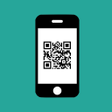
Barcode2Win: Send Barcodes to Windows Application via WiFi
Barcode2Win is a free utilities and tools application that allows you to send barcodes to any Windows application installed on your computer via WiFi. This app is developed by Paludour and compatible with Android devices.
This app is designed to provide a simple solution to send barcodes as keyboard entries to other applications, save them into a file, or copy them to the clipboard. Additionally, you can ask for a quantity after each scan and transmit it to your computer as an option.
Barcode2Win supports various barcode formats such as EAN-13, EAN-8, UPC-A, UPC-E, Code-39, Code-93, Code-128, ITF, Codabar, QR Code, Data Matrix, PDF-417, and AZTEC barcodes.
You can easily link your phone to the computer by scanning a barcode on the computer screen. However, if WiFi is not available, you can transfer barcodes with a USB cable. The Windows client is available on the developer's website and needs to be installed on your computer for the app to work properly.
Overall, Barcode2Win is a helpful application for those who need to transfer barcodes from their Android device to their Windows computer.
Barcode2Win for Android
Free
Efficient WiFi Barcode Scanner for Android
Free
Efficient QR Code and Barcode Scanner
Free
Comprehensive QR Code & Barcode Scanner

Free
Efficient Barcode Scanner for Android Devices

Free
Efficient QR Code and Barcode Scanning App
Free
Efficient Scanning with Fast QR & Barcode Scanner

Optimize Your Gaming with Ultimate Game Booster Pro
PictoPop - AI Photo Enhancer

[ROOT] KTweak — Universal Kernel Tweaks
A free program for Android, by Zoran.
Gimbal Pro2 - A Must-Have Tool for Mobile Filmmakers

ES Net Plus: A Reliable VPN Solution

Enhance Your Photos with Beaut Frame

Discover Chess with Chess Online: Chess Play Learn
Effortless File Recovery for Android Users

Efficient Password Management for Android Users
Comprehensive Utility App for PDF Management
Screen Display Calibration: Improve Your Smartphone's Display