




3.2
Free
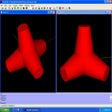
AutoQ3D
A complete and powerful 3D model editor software
 MemorialApps
Safe & trusted downloads
The best software, verified by experts

Free browser tool for 3D and electronics
Tinkercad is a free browser-based design tool that helps beginners explore 3D modeling, electronics, and coding without learning complex professional software. Its approachable workspace encourages experimentation, making it useful for students, hobbyists, and educators. However, its simplicity also means experienced designers may eventually need more advanced tools for detailed projects.
Tinkercad combines 3D design, circuit simulation, and block-based coding in one learning environment. Users can create models, experiment with electronic components, and build projects visually. Its free access makes starting easy, although its internet and browser requirements may not suit every workflow.
Tinkercad makes 3D modeling approachable by letting users combine, resize, align, and reshape basic objects into more elaborate creations. The visual interface reduces the initial learning curve, while importing and exporting supported file formats helps move designs between compatible applications. These strengths make it useful for classroom activities and simple prototypes, although intricate models may require more precise controls than this beginner-focused workspace provides.
The Circuits workspace lets learners arrange electronic components and test ideas through simulation, while Codeblocks introduces programming through visual blocks rather than requiring beginners to write every command manually. These features connect design with practical STEM learning, and guided tutorials help users get started. However, simulations are learning aids rather than substitutes for testing physical hardware, and more advanced projects may require specialized software or equipment.
The biggest limitation is its dependence on an internet-connected workflow, which can be inconvenient when connectivity is slow or unavailable. Although the tool is accessible to beginners, its streamlined modeling approach may feel restrictive for users needing professional-grade precision or complex engineering workflows. File export options support moving projects elsewhere, but users should check format compatibility before relying on a design for manufacturing or more advanced editing.
Tinkercad is a strong starting point for learners who want to explore 3D modeling, electronics, and coding without a steep learning curve. Its approachable tools, useful tutorials, and free access encourage experimentation. Still, browser dependence and limited advanced controls may frustrate experienced users. It is best suited to education, hobby projects, and early prototypes rather than demanding professional design work.
Autodesk Tinkercad for Windows
Free
A complete and powerful 3D model editor software
Free
Solid modeling software to get to grips with 3D design

Trial version
An excellent tool for dealing with images, drawings, photographs.
Free
3D hull design with hydrodynamics calculation tools
Free
Easy-to-use free CAD application

Free
A CAD and 3D Modelling Suite to Get You Started

A free electro-technical software

Unlocking creative potential through innovative technology

A free powerful design tool

Professional page layout and publishing for print and interactive media

Autodesk Revit: Comprehensive BIM Software for Design

Adobe’s powerful design and prototyping tool

Streamlined Design with Autodesk AutoCAD Web

Advanced Rendering with Autodesk Arnold
XFCut Pro: A Trial Graphic Design Tool

Paragraphic: A Trial Graphic Design Tool