Anime Sketch: Cute Drawing App for Android
Practice anime sketching with AR projection and screen tracing
- Free
- 4.7
- V 2.1.5
Practice anime sketching with AR projection and screen tracing
Anime Sketch: Cute Drawing App, developed by Winnix, is an Android tool for learning anime sketching through projected and on-screen guides. It projects templates via the camera or places images beneath paper in screen tracing mode to support step-by-step practice. Key tools include photo-to-sketch conversion, opacity and rotation controls, and a drawing recorder for time-lapse sharing. The app targets anime fans, absolute beginners, and hobbyists who want a hands-on tracing aid to build drawing confidence.
How the app turns a phone into a low-tech drawing aid
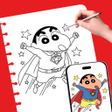
The app functions as a digital lightbox and AR projector: you select a template, then either project it onto paper using the camera or lay paper on the device screen to trace. This direct pairing of camera projection and screen overlay makes it practical for daily practice sessions, because users can switch modes depending on workspace lighting and whether they prefer a projected outline or contact tracing.
What setup and compatibility mean for daily use
AR projection requires camera access and a stable mount, so users should place the phone on a stand or a firm object to draw with both hands. The screen tracing mode uses high brightness to make outlines visible through paper, which is useful when a stand is unavailable. These setup requirements shape when and where the app works best, favoring table-based practice over standing or on-the-go sketching.
How approachable the interface and tools are for beginners
The interface prioritizes beginner workflows by offering templates focused on cute anime styles and built-in photo-to-sketch conversion. Image adjustment tools for opacity, brightness, and rotation let learners align references precisely. The drawing recorder captures the sketching process as a time-lapse, which helps users review technique or share progress without external screen-capture tools.
Privacy, limitations, and the app’s role in a creative routine
The app requests camera access to enable AR tracing and reads gallery images to convert photos into outlines, so users should expect those permissions during setup. Its role is instructional and practice-oriented rather than a full digital illustration studio, making it most useful for repeated sketch exercises and tracing practice rather than final polished artwork.
To sum up, a practice-focused companion for hands-on sketching
The app is a practical training aid for weekend sketchers and hobbyist artists who want guided, repeatable tracing sessions to improve proportion and line confidence. It supports steady practice easily but is less suited to users seeking a full-featured digital drawing workspace. To get the best results, combine short daily tracing drills with freehand exercises off the device.
Pros
- AR projection and screen tracing modes for flexible tracing
- Photo-to-sketch conversion turns gallery images into outlines
- Image controls for opacity, brightness, and rotation aid alignment
- Built-in recorder generates time-lapse of the drawing process
Cons
- Requires camera access and a stable mount for best AR use
- Best for practice and tracing, not a full digital painting studio
- Screen tracing needs high brightness to be effective on thicker paper
Anime Sketch: Cute Drawing App for Android
- Free
- 4.7
- V 2.1.5